 Yorimichi Games
How to play Ski Jump
Ski Jump is a timing game about taking off from a snowy ramp and landing cleanly. One large button controls the entire attempt: start the run, take off, and land. The button changes its label after each action, so there is no need to remember a different control for every stage. Watch the moving marker below the hill and press when it reaches the green target zone. Distance matters, but a controlled landing matters too. Each attempt earns distance points and style points. You can practise alone, compete against a CPU, or share one device with another player. Start slowly and learn the two target positions before trying a faster run.
Two jumps and the order of play
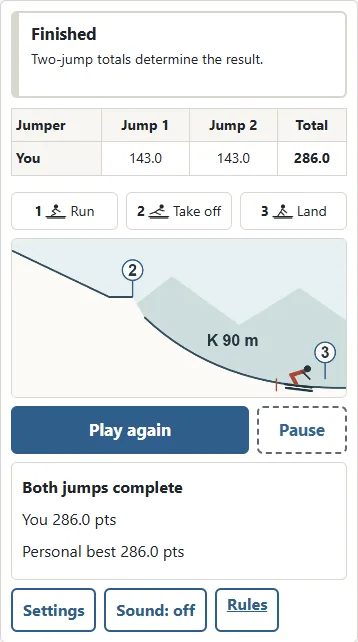
Each participant takes two jumps. In a two-player match, Player 1 makes the first attempt, then Player 2, before both return for their second attempts. The second participant is the CPU in CPU mode. After landing, read the score breakdown and press Next. The following attempt waits for Start run, giving the next person time to take the device. The final result compares the sum of both jumps, rather than the single longest distance. Equal totals share first place. Solo practice also consists of two attempts, making it possible to work on a repeatable pair of jumps rather than one lucky moment.
Take-off timing
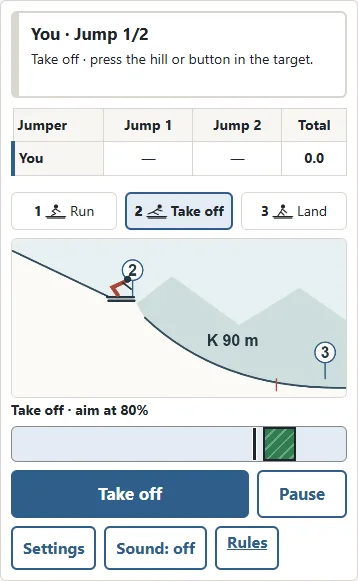
Press Start run to set the skier and marker in motion. The first green zone is centred near eighty percent of the marker track. Press Take off once as the marker reaches that position. Taking off too early loses distance, and leaving it too late also reduces the jump. Holding the button does not build power. Repeated presses are not needed. If you miss the take-off completely, reaching the end of the track triggers an unsuccessful take-off and the attempt continues into flight. You still get to practise landing. Try watching the marker rather than chasing the moving skier with your pointer: the marker gives a clearer reference for the timing.
Landing and the telemark idea
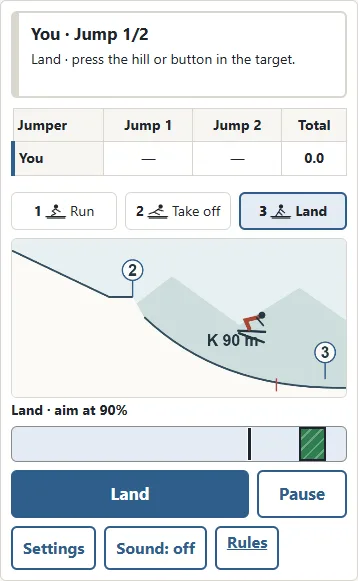
After take-off the marker returns to the left and begins a new pass. The landing zone is farther right, centred near ninety percent of the track. Press Land near that zone for a stable landing. A large timing error counts as a fall and reduces style points. Missing the landing button entirely also counts as a fall when the marker reaches the end. Landing later does not increase distance: your take-off has already determined it. In the real sport a telemark landing places one ski ahead of the other with bent knees. Here, landing timing represents that control. You do not have to operate individual knees or skis.
K-point and distance points
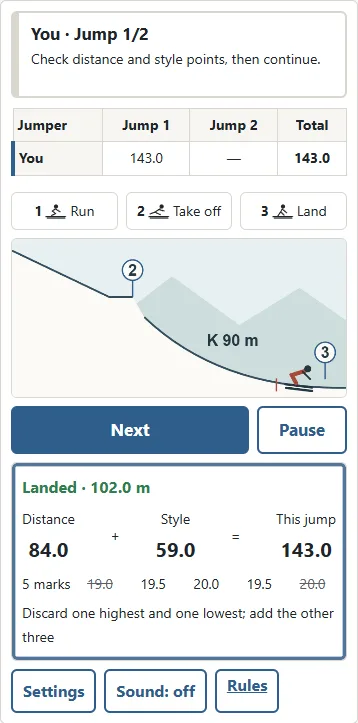
The K-point is the reference distance for scoring. The normal hill in this game is K90 and the large hill is K120. Reaching the reference earns sixty distance points. Going beyond it adds points; finishing short subtracts points. This game uses two points per metre on the normal hill and 1.8 on the large hill. For example, ninety-five metres on K90 earns seventy distance points, while eighty-five metres earns fifty. Distance is shown in half-metre steps and points to one decimal place. Very short jumps cannot produce negative distance points here. Compare records on the same hill, since a larger distance number on the large hill does not by itself show a better attempt.
Style marks and the total score
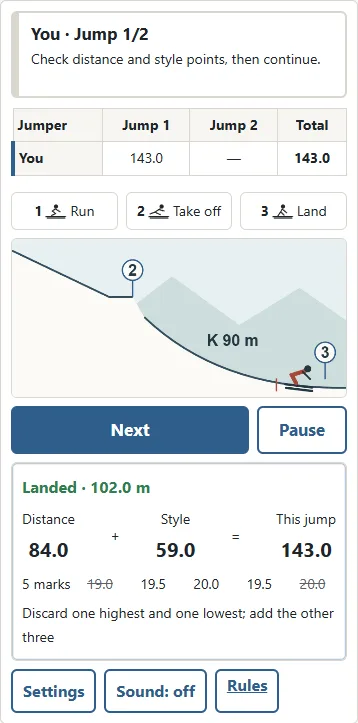
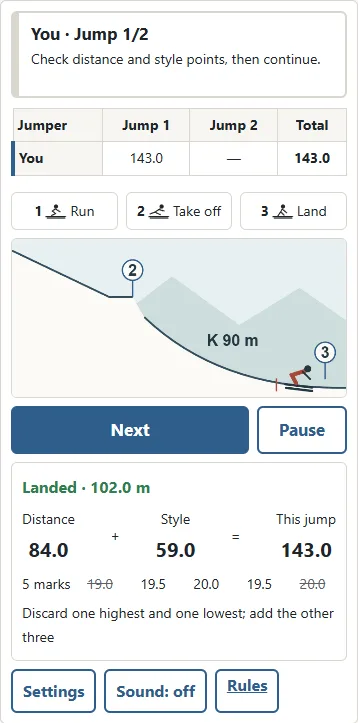
Five style marks are displayed for every attempt. Each mark has a maximum of twenty points and uses half-point steps. Remove one highest mark and one lowest mark, then add the remaining three. The maximum style total is sixty. If several marks share the highest value, only one is removed; the same applies to tied lowest marks. This game derives its marks from take-off and landing timing, with an extra deduction for a fall. The attempt total is distance points plus style points. Read both components after each jump. A slightly shorter jump with a much cleaner landing can score better than a longer, unstable attempt.
Game rules and real competition differences
The standard game uses calm air, a fixed starting gate, and the combined score of two attempts. Both wind and gate compensation are zero. Real competitions can add or subtract points to account for changing wind and gate positions. Real judges evaluate flight, landing, and the outrun; this game instead turns two timing actions into five numerical marks. The hills and athlete are fictional. There is no qualification cut, team event, equipment inspection, or competition disqualification system. It is a timing game inspired by the scoring idea, rather than a complete official competition simulator. The distance coefficients above describe these two game hills.
Difficulty and CPU levels
Run difficulty changes how quickly the marker travels during both the approach and flight. Easy provides more time, Normal asks for steadier timing, and Hard moves faster. Target positions and scoring remain the same. CPU strength is a separate setting. The easy opponent varies widely around the ideal timing, the normal opponent is more consistent, and the strong opponent usually produces a controlled pair of actions. Every opponent uses the same hill and scoring as you. You can choose a slow run while competing against a strong opponent, or practise faster controls alone. Changing settings starts a new match; continuing a saved match keeps its original settings.
Ski Jump tips: build a repeatable rhythm
First practise the take-off until your distance becomes consistent. Then shift attention to the landing pass, remembering that the marker resets after leaving the ramp. Keep your finger or pointer over the action button so that you can watch the target without covering it. If waiting until the centre looks late, prepare slightly before the zone and press as it arrives. Read the breakdown rather than only the final total. Short distances suggest take-off practice; repeated falls suggest landing practice. Repeat what worked on the first attempt instead of making a large, untested adjustment on the second. The best two-jump total comes from two controlled attempts.
Saving, pausing and personal bests
Opening Settings pauses the current attempt and makes Continue available. A saved run resumes in a paused state if it was moving when you left, so you have time to find the marker before continuing. Use Pause during play, or P and Escape when focus is outside the controls. Moving to another browser tab pauses the game as well. Saves and personal bests stay in this browser on this device. The Japanese and English pages share the same saved match. Clearing browser data removes those records, and there is no automatic transfer to another device. Personal bests compare your two-jump total separately for each hill and run difficulty.
Ski Jump FAQ: controls, sound and ties
On a computer you may click the large button or press Space to start, take off, and land. A held key is not treated as repeated new presses. When a button has keyboard focus, its normal Enter or Space action remains available. On a phone, press the hill or the action button at each stage. Lift your finger to confirm a hill press; drag away or lift outside the hill to cancel it. The numbered steps show run, take-off, and landing. The bordered target on the meter marks when to press. Pause and Continue keep the same position. Sound starts off and can be enabled with the Sound button. In a local match, hand the device to the next player after reviewing the score. Both players may see the breakdown; there are no secret controls or hidden information. If final totals match, the players share first place without using distance or the first attempt as an extra tie-breaker.
Background of ski jumping
Ski jumping developed as a winter sport in northern Europe and has a long international competition history. Successful jumping combines the ability to travel far with control in the air and at landing. Real performances depend on changing wind, approach speed, equipment, and the athlete’s movements. This game focuses on take-off and landing in a fictional side-view snow landscape. When watching the real sport, look beyond the distance number: style marks and compensation help explain why two jumps of similar length can receive different totals. Learning the two parts of this game’s score provides a useful starting point for understanding that difference.