 Yorimichi Games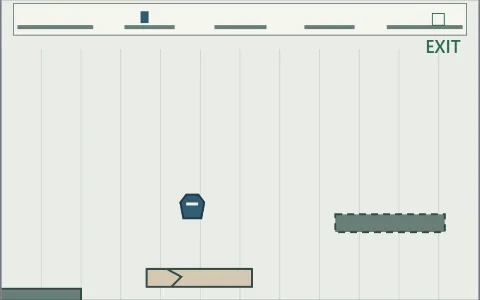

How to play Runner: Garden Hurdles
Guide a small hexagonal runner along a garden path and jump over the dividers around the flower beds. This is a single-player running game with automatic forward movement. You choose when to jump; you do not steer, accelerate or compete against a computer opponent. A complete course lasts forty seconds and contains eighteen hurdles. Reach the finish without touching one to complete the run. Choose a difficulty and a course number, then press Start. If this is your first run, Easy gives you slower movement and lower hurdles. The runner stays near the left of the picture while the garden scrolls past. Hurdles approach from the right. Leaves in the background and lines between the path tiles are scenery, so they cannot end your run. Watch the solid dividers on the path rather than trying to avoid every shape you see. The goal is a short complete run, rather than an endless distance score.
Runner controls: tap, click or press a key
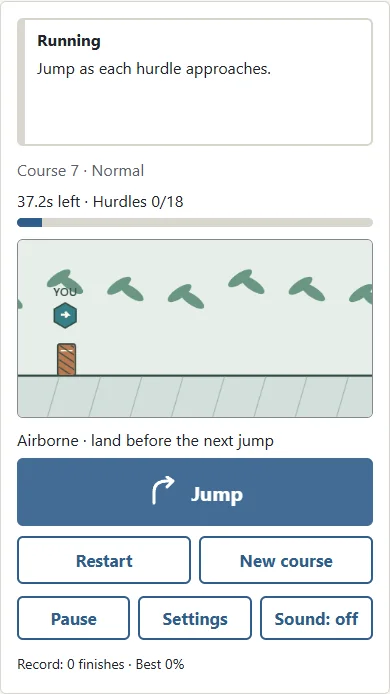
On a phone or tablet, tap the course picture once or use the large Jump button below it. On a computer, you can click, press Space, use the Up arrow or press W. Pick whichever method lets you make a single comfortable input without looking away from the course. There is no swipe gesture, dragging movement or need to hold a direction. Every accepted input creates the same jump. Holding a button does not make the jump higher, and holding a key does not keep the runner bouncing. Release it before the next jump. An input while the runner is airborne cannot create a double jump. Wait until it lands before jumping again. You can see the runner rise, reach the top of its arc and return to the path. Repeatedly tapping during that arc does not add height or keep the runner in the air. A deliberate single tap is easier to judge than a stream of inputs.
How to time a jump over a hurdle
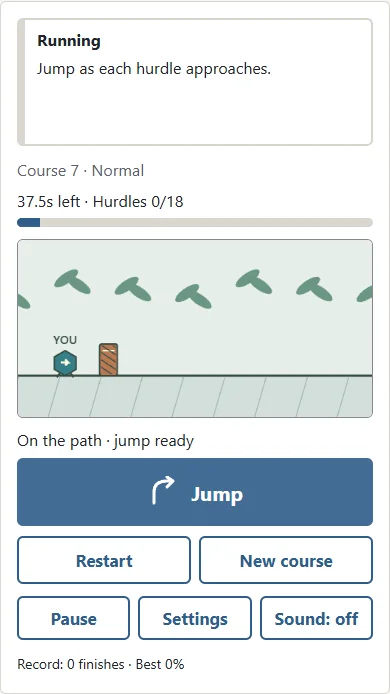
An early jump can finish before the hurdle reaches the runner. A late jump can leave the runner too low when the front of the hurdle arrives. Look at the shrinking gap between the runner and the divider, then aim to pass over the hurdle near the highest part of the jump. The runner's bottom must stay above the solid divider while their horizontal positions overlap. Touching its side or its top ends the run. A taller hurdle leaves less room to pass while the runner is rising or falling. Jump height stays the same at every difficulty, so harder courses need a more precise time rather than a different kind of input. After clearing a hurdle, notice the landing before preparing for the next one. Hurdles are spaced so that you can land and make a separate jump for each. You do not need a long combined leap across several hurdles or a mid-air change of direction.
Runner game rules and the forty-second finish
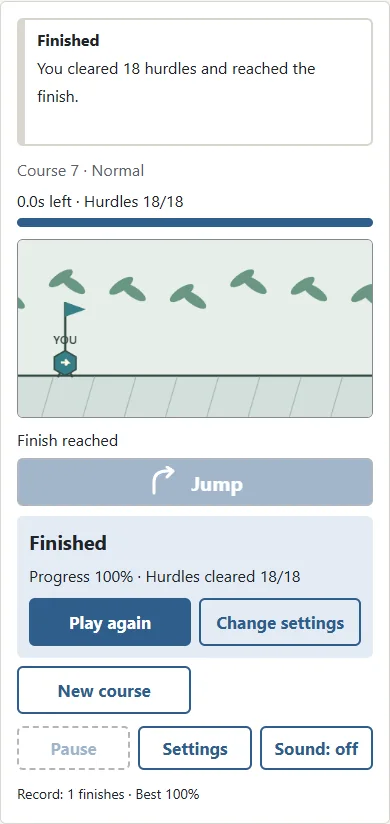
Contact with a flower-bed divider is the only losing condition. There are no holes in the path, enemies to attack or overhead obstacles that require ducking. The runner cannot be steered off the picture. Eighteen hurdles appear before the end of the course, and a short stretch of clear path follows the last one. Keep watching until the finish result appears: clearing hurdle eighteen is close to the end, but it is not the finish itself. The display above the course shows time remaining and the number of hurdles already cleared. A failed run shows your progress as a percentage of the full course, together with the cleared hurdle count. These are useful when practising the same route because they let you compare how far you got. A contact ring marks the runner when it touches a hurdle. The result appears below the course so that the scene remains visible and you can consider whether the next attempt should jump a little earlier or later.

Easy, Normal and Hard courses
Easy has the slowest movement and relatively low hurdles. Normal increases both the pace and the height. Hard brings faster movement and taller dividers, so the useful part of the jumping arc is more demanding. The jump itself, the contact rule, the eighteen-hurdle layout and the forty-second finish remain the same. Difficulty does not give the runner extra lives or quietly change whether a contact counts. Changing difficulty makes even a familiar course number a different challenge because the hurdle heights and travel speed change. Start with Easy until you can clear several hurdles in succession without rushing. Then try Normal with the same number so that you can concentrate on the new timing. Hard is available whenever you want it, but there is no need to unlock it or finish the other difficulties first. Choose the pace that feels useful for your own practice session.
Course numbers, retries and new routes
A course number identifies the arrangement you are playing. With the same number and difficulty, you can return to the same sequence of hurdles. Restart during a run and Play again after a result both begin that course from the start. New course chooses another number. You can enter a number from one to nine hundred ninety-nine thousand nine hundred ninety-nine in Settings. For practice, keep the number unchanged for a few attempts. You can then adjust one jump instead of meeting a different arrangement each time. A useful small goal is to clear one more hurdle than last time, rather than expecting an immediate full finish. Changing the number provides variety when the route starts to feel too familiar. Numbers do not represent a ranking or a progression through harder levels; use the separate difficulty selector to choose the pace. You can write down a number to revisit a route later.
Pause, saved progress and sound
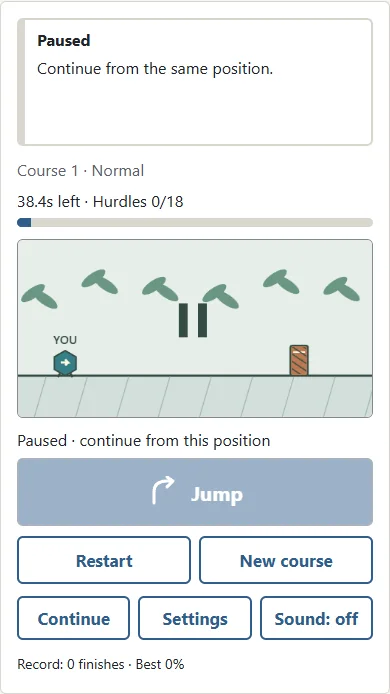
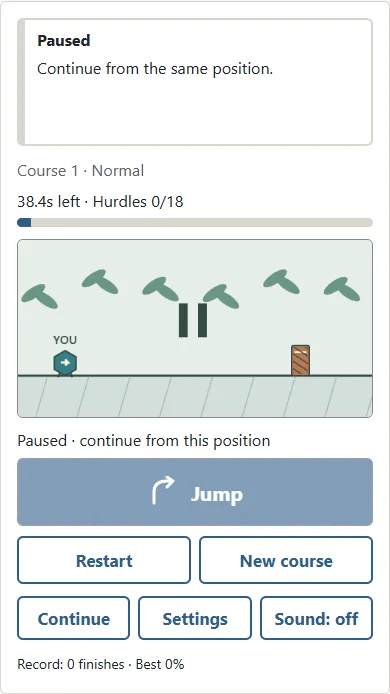
Press Pause when you need a break. P on a keyboard also toggles pause and continue. While paused, neither the course timer nor the hurdles advance. Continue resumes the same position, including a jump stopped in mid-air. Moving to another browser tab or leaving the game window pauses the run as well. Returning does not automatically start the action, so you can check the scene before continuing. When storage is available, closing and reopening the page lets you continue a saved run. Use Continue after looking at the position shown on the course. Settings and records belong to the current browser; they are not automatically transferred to another device or account. Sound starts off. You may turn it on with the sound button, but every important action and result can be understood visually. There is no music you must follow, and hearing a sound is not required for timing a jump.
Runner tips for a more consistent finish
First, focus on the next divider instead of the background. Second, watch one complete jumping arc so that you know how long the runner stays above the path. Third, make small timing adjustments. If you land on the approaching hurdle, try slightly later; if you reach its front before rising enough, try slightly earlier. Fourth, wait for the landing rather than repeatedly pressing Jump in the air. Fifth, keep the same number while comparing attempts. A familiar route makes it easier to connect a result with a particular input. Sixth, use Pause when your attention drifts. Pausing does not remove cleared hurdles or deduct progress, so there is no reason to rush through a distraction. When switching difficulty, allow a few attempts to settle into the faster or slower approach. A good run is a sequence of comfortable single decisions, rather than frantic tapping. Finishing is satisfying, but a failed attempt that teaches you one useful timing adjustment is still helpful practice.
Runner FAQ and other running-game formats
Can I hold Jump to leap farther? No. Every jump has a fixed height and duration. Can I jump twice in the air? No. Land before the next accepted jump. Does the game get faster while I play? No. Your selected difficulty sets a steady speed throughout that course. Is this an endless runner? It uses automatic running and obstacle timing, but this version has a forty-second finish. Do I lose progress when I pause? No. The course stops in its current position. Why did a saved run disappear? Browser data can be cleared, and private browsing or storage restrictions can prevent a lasting save. You can still play a complete run on the current page. If you remember the course number, you can start that route again. Running games cover several styles, including endless routes, changing lanes, ducking and more complicated platform movement. Garden Hurdles uses an original garden setting and a single ground jump, with a short clear destination. Its rules describe this particular game rather than a universal rule book for every runner.
Runner difficulty guide
| Difficulty | Pace and hurdles |
|---|---|
| Easy | Slower and lower |
| Normal | Moderate pace and height |
| Hard | Faster and taller |