 Yorimichi Games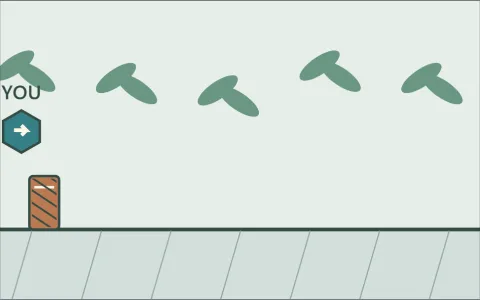

How to play Jump Action
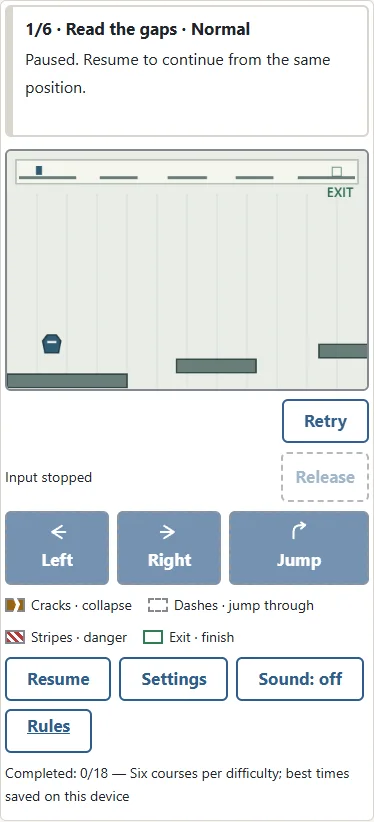
Jump Action is a single-player platform game about reading ledges and reaching an outlined exit. You control a small geometric glider rather than a character from another game. There are six original courses, and every course is available immediately. Choose a difficulty and a course in settings, then press Start. You can practise the first course, skip to a particular obstacle, or return to a course you have already completed. No account, download, or purchase is required.
The arrow buttons and their outlines show held inputs for both keys and touch. Holding both directions is neutral. Release or Escape clears held inputs. The input row shows Jump ready on a ledge and asks you to land while airborne. Movement buttons show they are unavailable after an attempt ends or while paused; press them again after resuming.
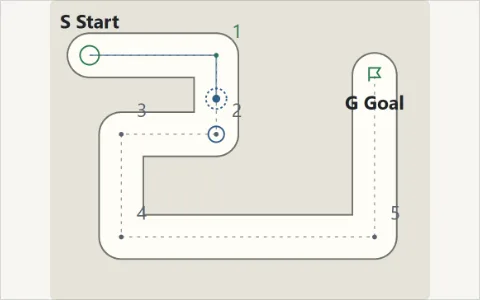
The main view follows your movement across the course. A narrow overview at the top shows your location and the exit, so you can see how much ground remains. Left and right always mean the directions on your screen. Reaching the exit completes the current course; falling below the course ends the attempt. There is no limit on retries. The aim is to notice the same visible clues on your next attempt and use them more effectively, rather than memorise invisible surprises.
Movement and jumping rules
Hold Left or Right to move. Press Jump to start one jump while standing on a ledge. A held button does not produce another jump when you land: release it and press again for the next jump. There is no second jump in the air, and walking beyond an edge does not give you an extra jump after you have left the ledge. These rules apply equally to touch buttons and keyboard keys.
You can steer left or right while airborne. Releasing a direction stops horizontal movement, but gravity continues to pull the glider down. Stopping above a gap therefore does not make you hover. Start a jump closer to the edge when you need more horizontal reach, and release the direction when you need to avoid travelling too far. The glider has the same movement speed, jump strength, and gravity on all three difficulties. A smaller screen changes the size of the picture, not the physical distance you can travel.
Read solid, dashed, and cracked ledges
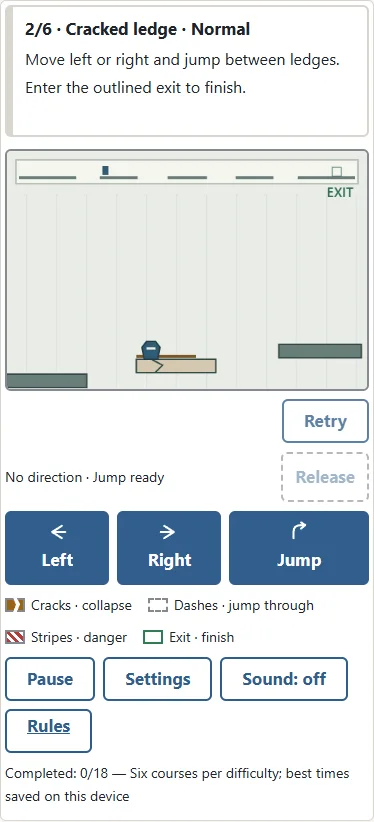
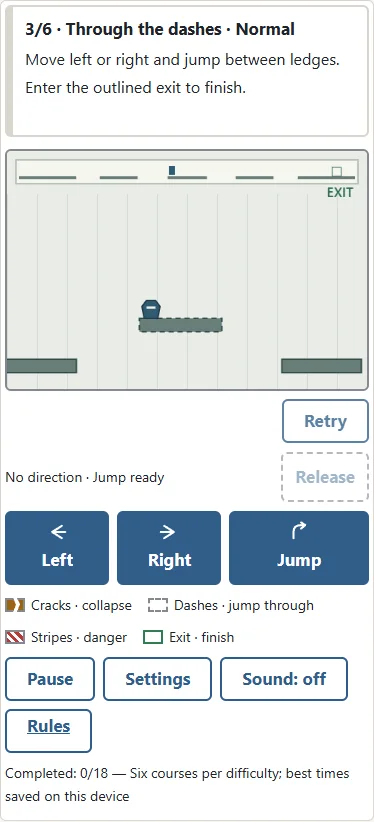
A solid ledge supports the glider from above and blocks movement through its sides or underside. A dashed ledge behaves differently: you can rise through it from below, then land on its top while falling. Passing through the side of a dashed ledge does not automatically lift you onto it. You need to rise high enough that your feet cross its top on the way down. The dashed border is a direction clue, not a warning that the ledge is unsafe.
A cracked ledge starts a short countdown when you first land on it. The narrow bar above it shrinks until the ledge collapses. Leaving and returning does not refill that bar. Plan the following jump before you land, and use a solid ledge when you want time to think. A collapsed ledge stays gone for the rest of the attempt. Retry restores every ledge and resets every countdown. Cracks, dashes, and the shrinking bar distinguish these surfaces without relying only on their colours.
Obstacles and the end of an attempt
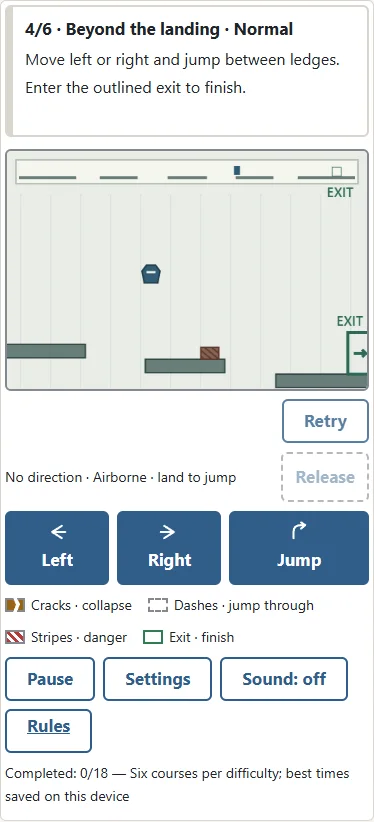
Touching a striped obstacle ends the attempt, including contact from above. Landing near an obstacle is different from landing safely beyond it. Check what comes after your destination ledge as well as the width of the ledge itself. You may need to stop after landing, release Jump, and make another jump before walking into the stripes. The fourth course is designed around this distinction.
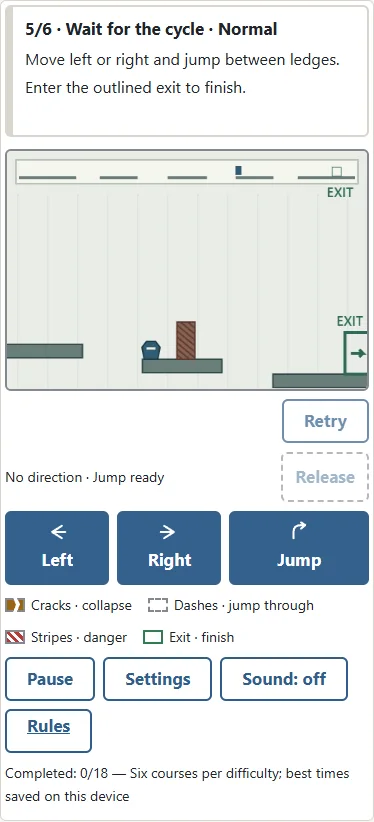
A timed gate alternates between an active striped block and an inactive double outline. Only the active block is dangerous. The outline is safe to pass through. The cycle is fixed and does not react to your position, your previous failures, or the difficulty of your last jump. Wait on safe ground to observe it before moving through. Falling, a collapsed ledge, a striped obstacle, and an active gate have separate explanatory messages. An attempt also ends after ten minutes of active play. You can retry immediately, and there is no penalty carried into the next attempt.
Six original courses and learnable surprises
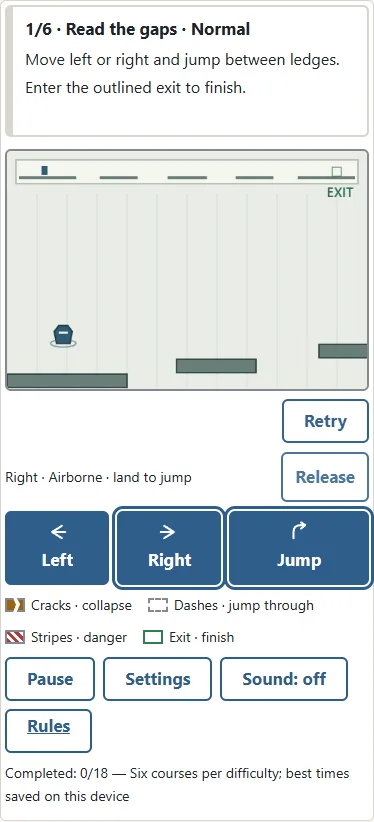
Course one teaches spacing: approach the edge, jump across a gap, and adjust the landing. Course two adds a cracked ledge and asks you to move on before its countdown finishes. Course three introduces a dashed ledge that you can jump through from below. Treating it exactly like a solid ledge can lead to an unexpected landing, but its border explains the difference in advance.
Course four asks you to look beyond a landing because a striped obstacle stands farther along the ledge. Course five introduces a timed gate and rewards waiting for a safe opening. Course six combines cracked ledges, a dashed ledge, and stripes. The objects are visible before you touch them. There are no hidden blocks that suddenly appear, no invisible traps that change between attempts, and no reversal after you enter the exit. A surprise comes from overlooking a clue. Once you understand the clue, the next attempt follows the same rules and gives you a chance to improve.
Easy, Normal, and Hard difficulty
Difficulty changes your margins without changing the movement rules. Easy has the widest intermediate ledges and a cracked-ledge countdown of 0.60 seconds. Normal narrows those ledges by thirty-two course units and gives you 0.40 seconds. Hard narrows them by fifty-six units and gives you 0.25 seconds. The first and final ledges remain the same width. Course units belong to the game world, so a phone does not secretly make a gap wider than it is on a computer.
Every timed gate repeats a four-second cycle. It is active for 1.25 seconds on Easy, 1.75 seconds on Normal, and 2.25 seconds on Hard. The remaining part of each cycle is safe. Hard therefore requires more careful landings, quicker movement from cracked ledges, and better judgement at gates. This is a skill exercise rather than a match against a computer opponent. Start with Easy to learn the symbols, then repeat the same course on Normal. A completed course on one difficulty does not prevent you from practising it again.
Touch controls, keyboard controls, and saving
On a phone or tablet, hold a direction button with one finger and press Jump with another. You do not need to drag the glider or touch a small object in the scene. Opposite directions cancel each other when both are held. On a keyboard, use the left and right arrows or A and D to move. Space, the up arrow, or W starts a jump. P pauses or resumes, and R retries the current course. Game keys do not operate while you are editing a settings field.
Pause, opening settings, and leaving the browser tab stop the course. Held controls are released when play is interrupted, so press them again when you resume. Continue restores the saved position in a paused state; press Resume when ready. Your course, difficulty, position, obstacle state, and completion records are stored in this browser on this device. Clearing browser storage removes them. Another browser or device has its own records. If storage is unavailable, you can still play, but progress may not survive closing the page.
Finishing a course, records, and common questions
Enter the outlined frame with an arrow near the right end of the course to finish. The Next button opens the following course until course six. After the final course, choose another course or difficulty in settings. A completion time measures active play from the beginning of the attempt to the exit. Paused time is excluded. Retry resets the timer and all obstacles. The best successful time for each of the eighteen course-and-difficulty combinations is saved locally. Failing does not erase a previous successful record.
If Jump seems unresponsive, check whether you are airborne or still holding the button from the previous jump. Land, release it, and press again. If a cracked ledge has disappeared, Retry brings it back. If a route appears blocked, reconsider the dashed border or wait for a gate to become an outline. You can always practise a different course from settings. These courses and their geometric artwork were created specifically for this game. The challenge is to observe, attempt, and adjust your next move, with visible rules that stay consistent.