 Yorimichi Games
How to play Spot the Difference
Spot the difference is the classic picture puzzle: two images that look the same at first glance, and a handful of small changes hidden in one of them. Your job is to find every change. This version has 36 puzzles built from six scenes – a living room, a park, a town street, a dining table, the seaside and a night-time campsite. Every picture is original artwork drawn for this site, and each puzzle has five to seven differences depending on the level you choose.
Found one? Press that spot
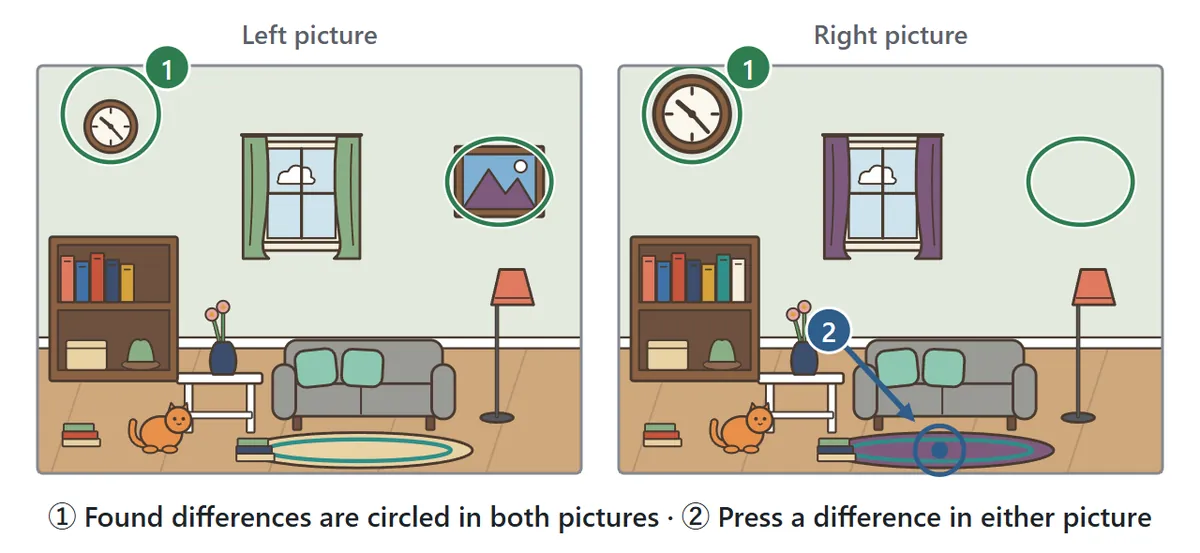
Press “Start” and the second picture appears next to the first. On a computer or tablet the two pictures sit side by side; on a phone one is above the other. When you notice something that doesn’t match, press that place in either picture – it doesn’t matter which one. If you are right, a green circle appears in the same spot on both pictures and the counter at the top goes up by one. Find them all to clear the puzzle. Pressing a difference you have already found again is never counted as a mistake.
What kinds of differences are there?
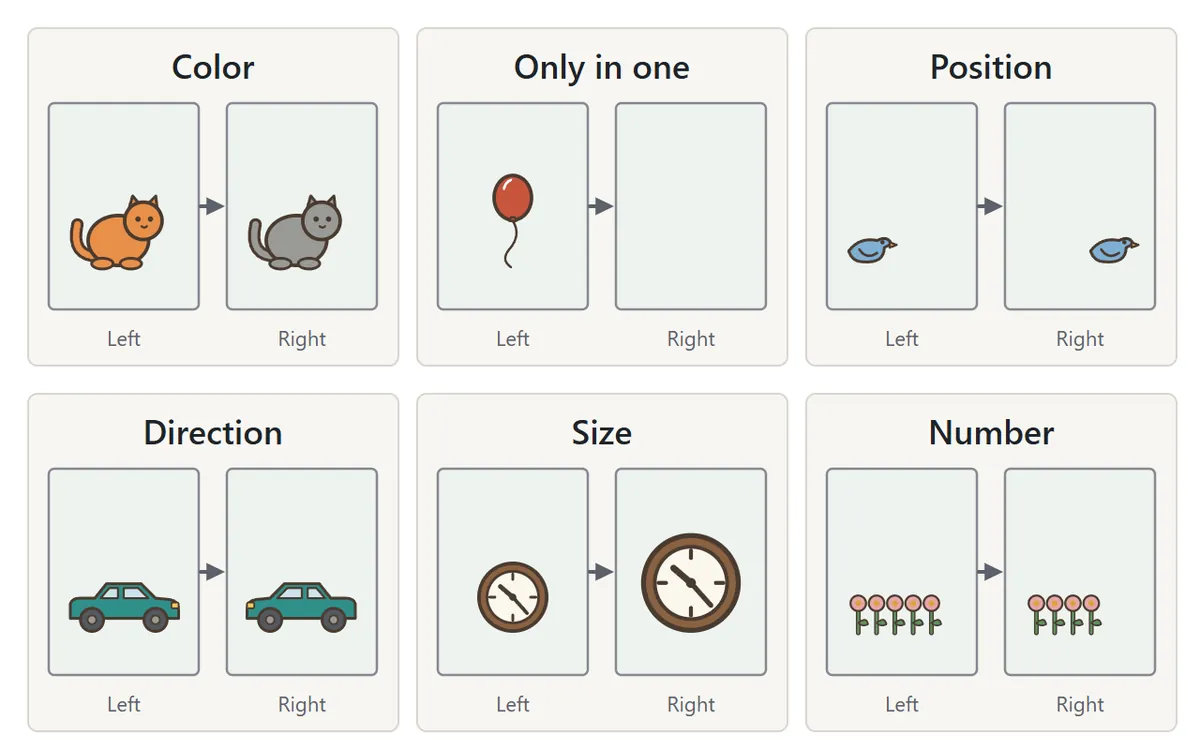
There are six kinds of differences. An object’s color may have changed. Something may appear in only one of the pictures. An object may have moved to a different position, been flipped to face the other direction, grown or shrunk in size, or changed in number – one book, flower or window more or fewer. Every puzzle mixes several kinds. The differences are made so that none of them is too tiny to see, and no two of them overlap or sit so close together that they blur into one.
Wrong guesses count as misses
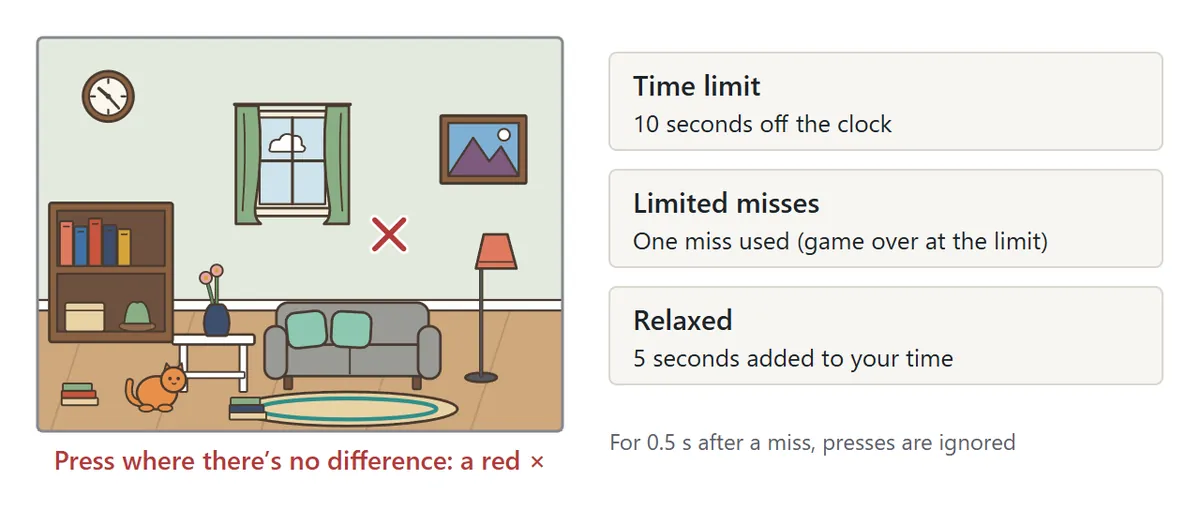
If you press a spot where nothing has changed, a red × appears and it counts as a miss. Misses carry a small penalty so that you can’t win by tapping everywhere. In Time limit mode a miss takes 10 seconds off the clock. In Limited misses mode you only have a few misses before the game ends. In Relaxed mode, each miss adds 5 seconds to your final time. For half a second after a miss, further presses are ignored.
Hints and zoom
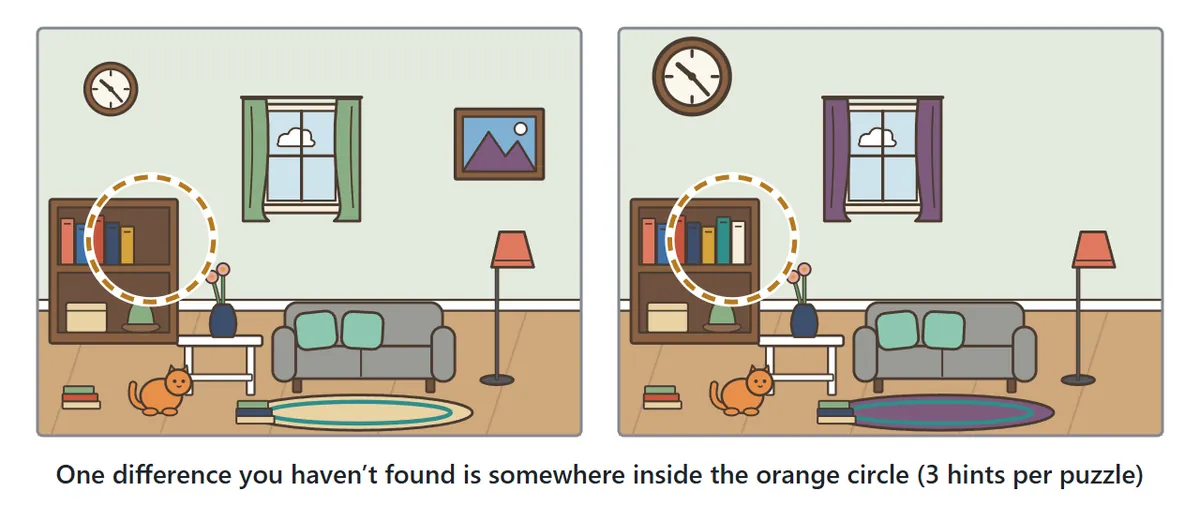
Stuck? Press “Hint”. One of the differences you haven’t found yet is somewhere inside the orange circle that appears on both pictures. The circle is deliberately a little larger than the difference itself, so you still have to look carefully inside it. You can use up to three hints per puzzle.
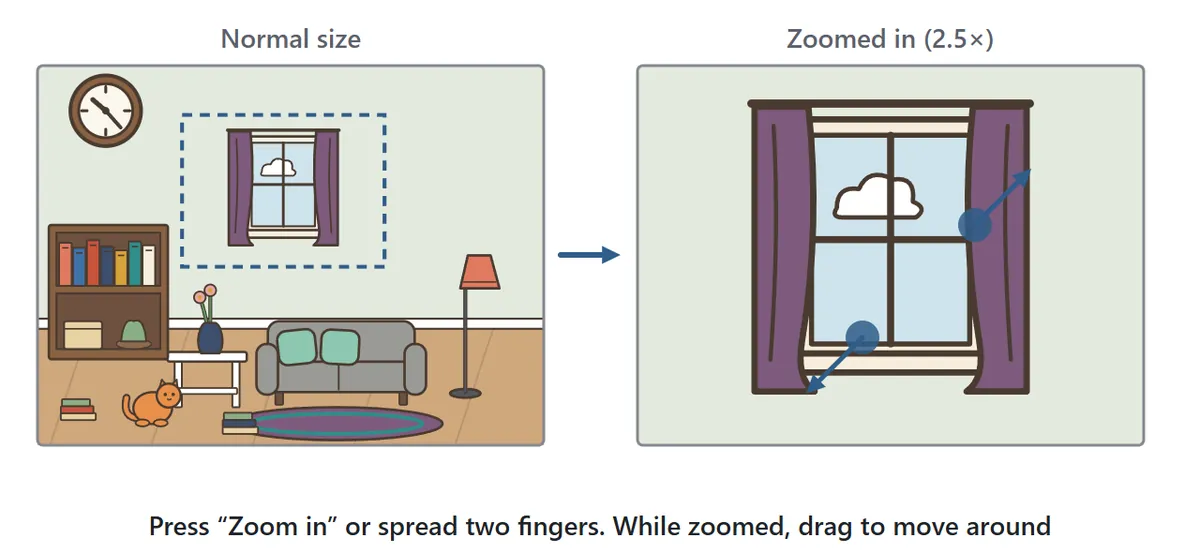
On a small phone screen, press “Zoom in” or spread two fingers on a picture to make it bigger. While zoomed in, drag a picture to look at a different area. Both pictures always move together, so you can keep comparing them side by side. To go back, press “Reset zoom” at the top right of the pictures.
Game modes and difficulty levels
| Mode | How it ends | A miss… |
|---|---|---|
| Time limit | Find everything before the clock hits zero | takes 10 s off the clock |
| Limited misses | No clock, but the game ends at the miss limit | uses up one miss |
| Relaxed | No clock and no miss limit – keep going until you find them all | adds 5 s to your time |
| Level | Differences · time · misses | What to expect |
|---|---|---|
| Easy | 5 · 120 s · 5 | Big, clear changes. A good place to start |
| Normal | 6 · 110 s · 4 | Close colors and objects facing the other way |
| Hard | 7 · 120 s · 4 | Small objects and colors that differ only slightly |
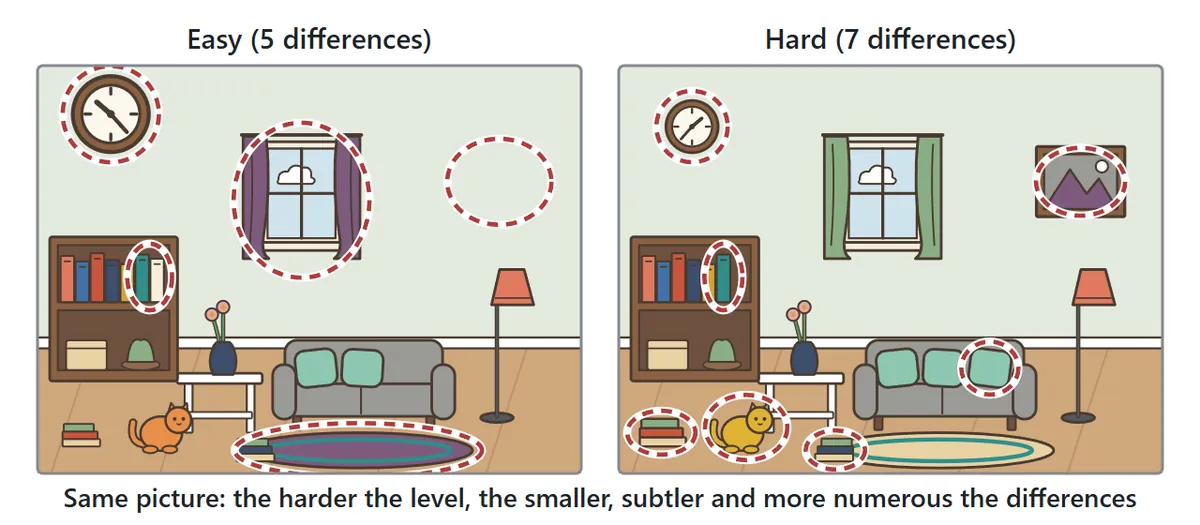
All 36 puzzles use the same pictures at every level, but the differences change: switching the level turns different parts of the same picture into differences, so you can enjoy each puzzle three times. With “In order” you work through the puzzles from No. 1, and you can also pick any puzzle number from the list. Puzzles you have cleared are marked “(cleared)” next to their number.
Spot the difference tips
1. Split the picture into sections

Glancing back and forth at the whole picture is the slow way. Instead, mentally split each picture into quarters – top left, top right, bottom left, bottom right – and compare one matching section at a time. When a section is done, move on. This simple habit cuts down on missed differences and stops you from checking the same area over and over.
2. Count things and check which way they face
Changes in color, or objects that appear in only one picture, tend to jump out. Differences in number and direction are much easier to overlook: the number of books on a shelf, flowers in a bed or windows on a building, and whether a car, bird or dog is facing left or right. Whenever you see a group of small objects, count them in both pictures.
3. Compare colors one object at a time
On Hard, some colors change only slightly. The shape stays exactly the same, so your eye slides right past it. Pick objects with large areas of color – cushions, curtains, roofs, tablecloths – and compare them one by one between the two pictures.
4. Use fixed objects as rulers
A clock or potted plant may have moved a little to the side, or grown slightly bigger. Measure its distance from something that never moves, like a window frame or a large piece of furniture, and compare that gap between the pictures. Shifts in position and size become much easier to notice this way.
5. Look at the empty spaces too
An object that appears in only one picture is often hiding in an empty patch of sky, wall or floor. If you only ever look at the objects, you will miss it, so every so often scan the empty areas as well.
6. Zoom before you use a hint
On a phone, small differences can be hard to see at normal size. Before you reach for a hint, try zooming in: color and number differences on small objects become much clearer. Clearing a puzzle without hints is what counts toward your personal best.
Spot the Difference FAQ
How many puzzles are there?
There are 36 puzzles made from six scenes, and each can be played at three difficulty levels. On top of that there is a daily puzzle: a new one every day at Normal difficulty. Everyone who plays on the same day gets the same puzzle, and the game keeps track of how many days in a row you have cleared it.
Can I stop and continue later?
Yes. Open the game in the same browser on the same device and press “Continue” in the settings. You pick up where you left off, with the differences you found, your misses and the time so far. A daily puzzle can only be continued on the same day.
How are my records saved?
For each combination of level and mode, the game remembers how many times you played, how many times you cleared the puzzle, and your fastest clear without hints. Everything is stored on your own device. In Relaxed mode the time includes the seconds added for misses.
Can I see the differences I missed?
Yes. When time runs out, when you reach the miss limit, or when you press “Show answers” twice, every difference you didn’t find is marked on both pictures with a numbered red dotted circle. The result screen also lists what each difference was, such as “Direction of the car”.
Does it work on phones?
Yes. On a phone the two pictures are stacked one above the other, and each difference has a tap area large enough for a finger. You can zoom in to see small details. Sound is off at first; press “Sound: off” to hear effects when you find a difference or clear a puzzle.
Is it free?
Yes. It runs in your web browser with no download, no account and no sign-up.
What is spot the difference?
Spot the difference is a puzzle in which you compare two nearly identical pictures or photos and look for the places where they differ. It has long been a favorite in newspaper puzzle pages, magazines, activity books and quiz shows, and because the rules take one sentence to explain, people of every age can play it. In France it is known as “the game of seven errors”, and seven has traditionally been the standard number of differences, though puzzles with anywhere from five to ten are common. The original picture is usually placed on the left and the altered one on the right, and answers are traditionally printed on another page as a list or with circles. This game follows the same idea, but lets you check each guess instantly and shows you the answers the moment the puzzle ends.