 Yorimichi Games
How to play the dress up game
This is a free online dress up game: you choose clothes for a character, one piece at a time, and change every color and pattern as you like. There is no timer and nothing to lose, so try any combination that comes to mind. When you want a small goal, switch on the Theme challenge and dress the character for a season or an event.
Pick a category, then an item, then a color
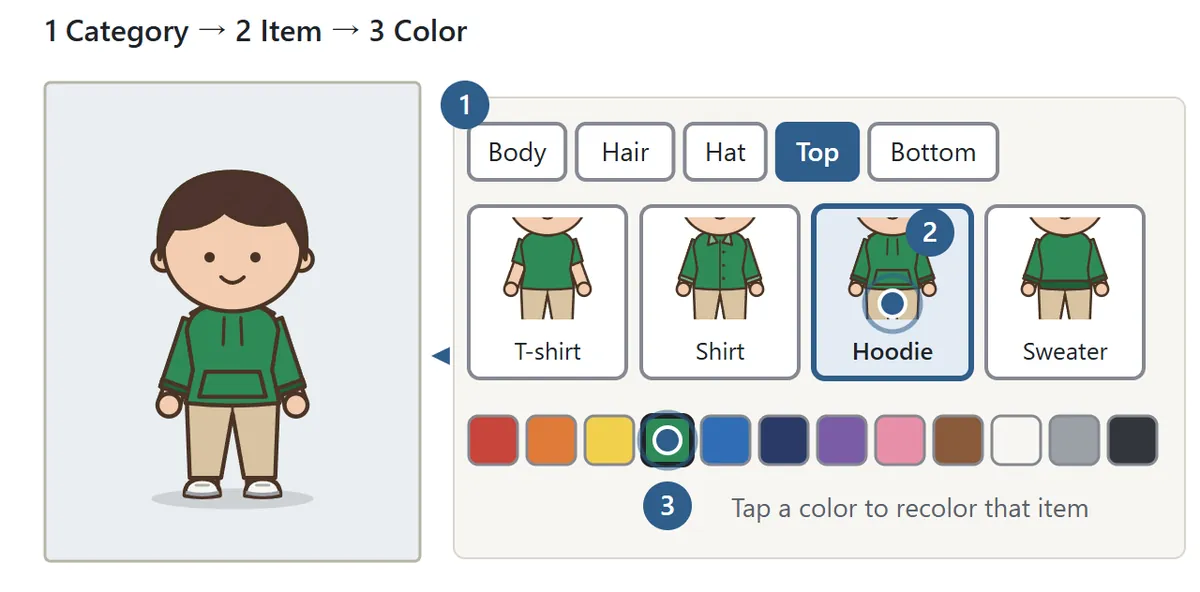
Press Start and nine categories appear under the picture (to the right on a wide screen): Body, Hair, Hat, Top, Bottom, Shoes, Extras, Props and Scene. Tap a category to see its items, then tap the one you want. The character changes right away.
Below the items is a row of colors. Tapping a color recolors the part you are working on. Tops and bottoms also come in five patterns: plain, stripes, polka dots, check and flowers. The rainbow circle opens a color picker for any shade that is not in the row. You can also tap the hat or clothes in the picture to jump straight to that category.
Under Body you can choose one of six skin tones, three builds (slim, medium and sturdy) and three faces. Every item works with every hairstyle and build. Skirts, ties, dresses and blazers are all open to any character, so mix them however you like.
Extras holds the small things a character wears: a warm scarf, neckerchief, tie or bow tie; glasses or sunglasses; a backpack or shoulder bag; and gloves. Scene sets the background, from a spring park and a summer beach to a festival night, autumn hills, winter snow, a rainy town, a school and a room. The plain scene can be any color you pick.
Props: tap to hold, drag to place
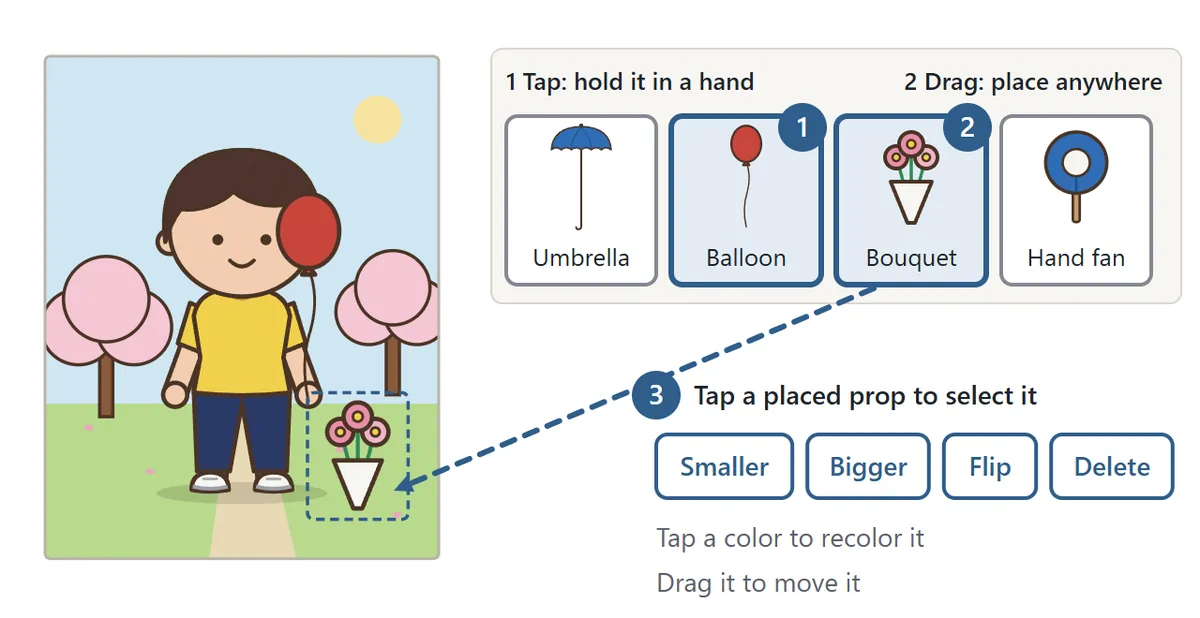
Props include an umbrella, a hand fan, a goldfish bag, a water bottle, a bouquet, a bug net, a balloon, a candy apple, a book, an autumn leaf and a snowman. Tap a prop to put it in the character's hand, or drag it onto the picture and let go where you want it. Tap a placed prop to select it; a dashed box appears, and you can drag it, make it smaller or bigger, flip it or delete it. While a prop is selected, the color row recolors that prop. You can place up to ten props.
Undo takes back your last change, and Redo brings it back. Random dresses the character in a surprise outfit with a new hairstyle and scene, which is a handy way to get unstuck. Save image downloads your picture as a PNG file. The image is created on your own device and is never uploaded anywhere.
Theme challenge: dress for the occasion
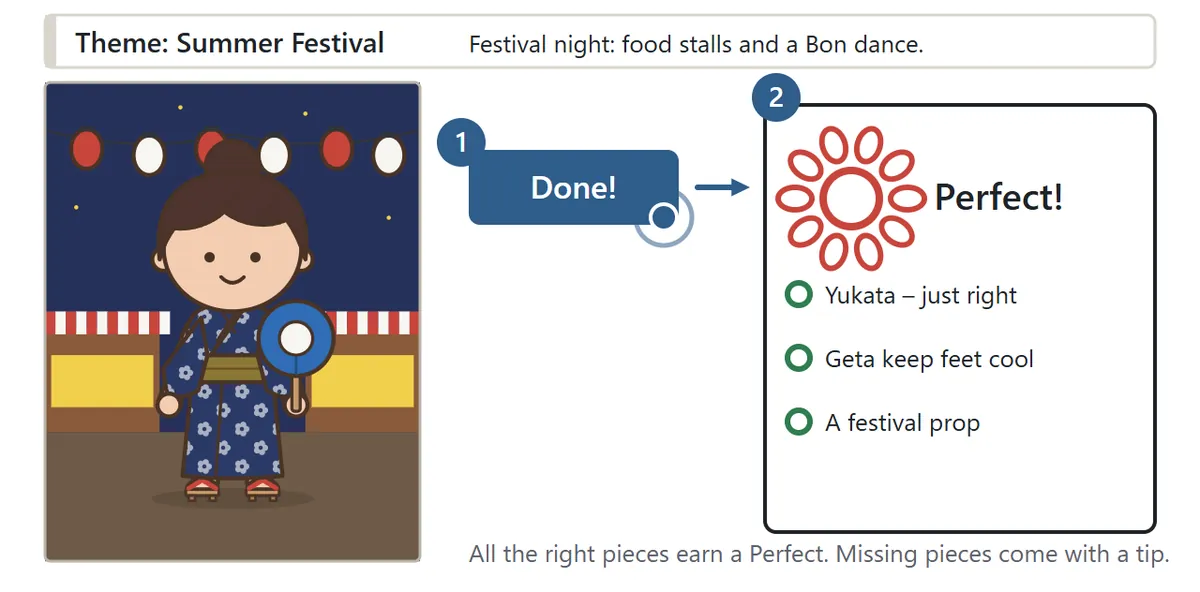
In Settings, choose Theme challenge and pick a theme, or choose Random to get one you have not aced yet. The theme appears above the picture, for example “A sunny summer day: a walk along a bright beach.” Choose clothes that suit the scene and press Done!
If everything the scene calls for is there and nothing clashes with it, you get a Perfect stamp. Otherwise the game lists what to fix with a short reason, such as “The sun is strong – wear a hat with a brim.” Change the outfit and press Done! as many times as you like.
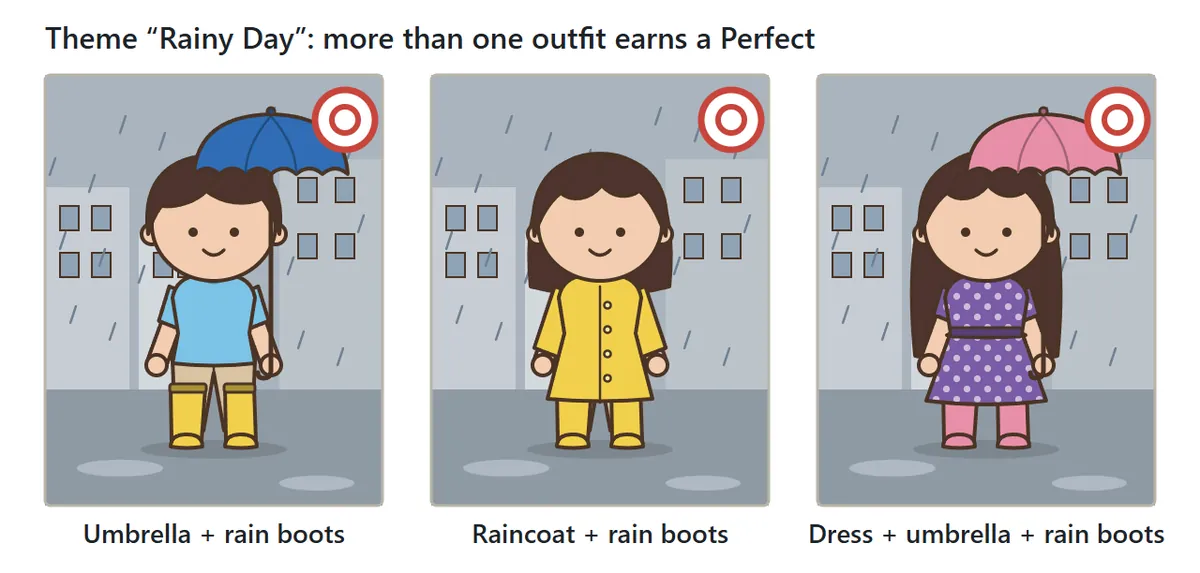
There is never just one right answer. For the Rainy Day theme, an umbrella or a raincoat both keep the rain off. Colors and patterns are never judged, so once the right pieces are on, style them however you like.
| Theme | What fits |
|---|---|
| Spring Field Trip | Backpack, sneakers, a hat for shade |
| Summer Festival | Yukata or jinbei, geta or sandals, a festival prop |
| Summer Beach | Brimmed hat, light top, sandals or sneakers |
| Rainy Day | Umbrella or raincoat, rain boots |
| Autumn Hike | Long sleeves, pants, trail shoes, backpack |
| Snow Day | Coat, gloves, boots, beanie or warm scarf |
| School Ceremony | Blazer, shirt or dress, dress shoes, no hat |
| Sports Day | T-shirt, shorts or pants, sneakers, cap |
A 浴衣 (yukata) is a light cotton summer kimono, and a jinbei is a summer set of a wrap top and shorts. Geta are wooden sandals often worn with a yukata. Themes you have aced get a small mark in the theme list.
Color matching tips: using the color wheel
1. Analogous colors look calm and unified
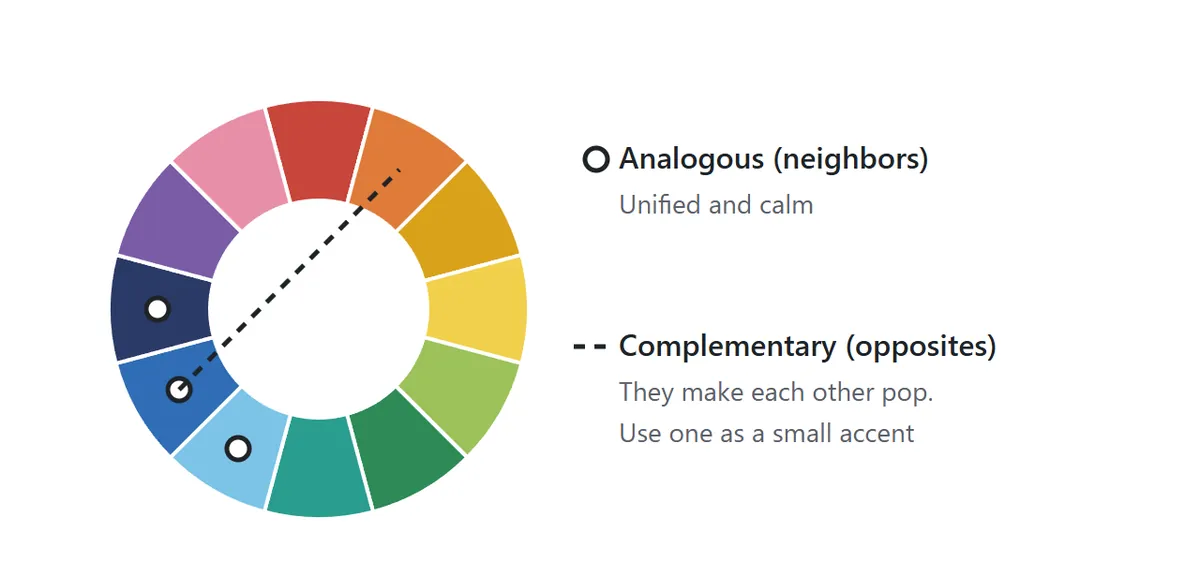
A color wheel arranges colors in rainbow order around a circle. Colors that sit next to each other on the wheel, such as blue, navy and light blue, are called analogous colors. Wearing them together gives a calm, unified look. Try a dark and a light version of the same color for the top and bottom. In Free play, a short note above the picture tells you what kind of color combination you are wearing.
2. Use a complementary color as a small accent
Colors that face each other across the wheel, like blue and orange, red and green, or purple and yellow, are complementary colors. Side by side they make each other stand out. Used in equal amounts they can feel loud, so the classic trick is to keep the outfit mostly one color and add the opposite color in a small spot, like a hat or a bag.
3. Tie it together with neutrals
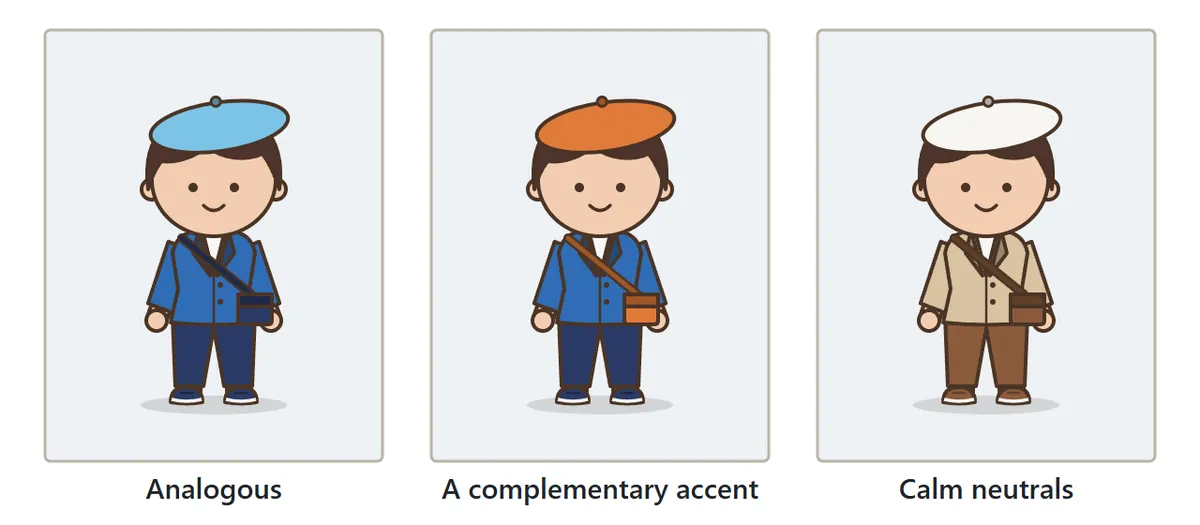
White, black and gray, plus soft colors like beige and brown, go with almost anything. If an outfit looks too busy, switch the bottom or the shoes to a neutral and the whole picture settles down.
4. Stick to about three colors
Limiting one outfit to about three colors keeps it tidy. Pick the color of the biggest piece first, usually the top, match the rest with analogous colors or neutrals, and finish with one accent in an extra or a prop.
5. One pattern at a time
Stripes, dots and flowers stand out best on just one piece. If you want patterns on both the top and the bottom, make one small and quiet and keep the other close to plain.
Dressing for the seasons
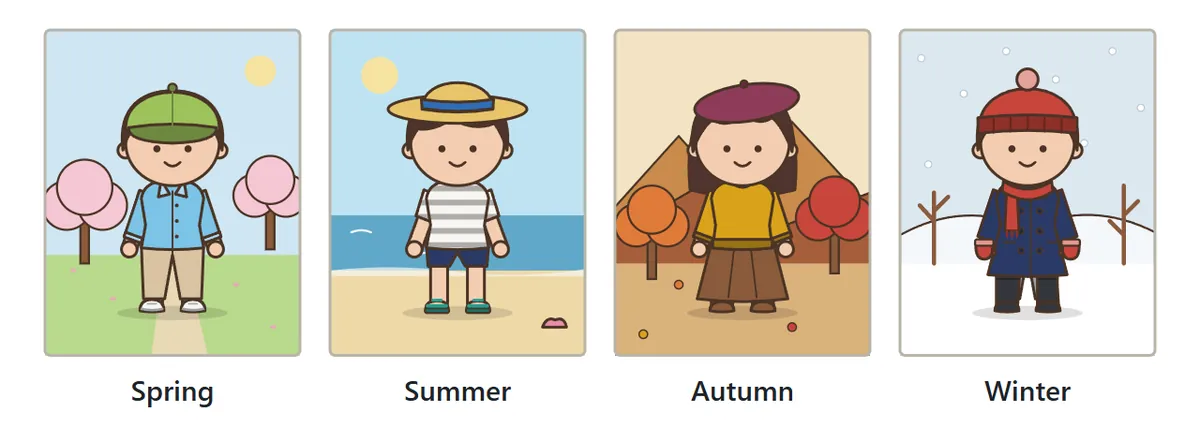
Spring mornings can be cool while afternoons get warm, so light layers such as a shirt or hoodie work well, plus a hat for long days outdoors. Summer calls for light, breezy clothes and a brimmed hat to keep off the sun; at a Japanese summer festival many people wear a yukata or jinbei. On rainy days, an umbrella or raincoat keeps you dry and rain boots protect your feet, while long hems tend to get soaked. In autumn, layer a sweater or blazer, and choose long sleeves, long pants and grippy shoes for a hike. Winter needs a coat, plus a warm scarf, gloves and a beanie to keep your neck, hands and head warm; boots are best in the snow.
Dress up game FAQ
Where is my outfit saved?
Your current outfit and theme results are saved automatically in this browser, so Continue brings them back next time. They do not move to other devices or browsers. To keep a picture for good, use Save image.
Is my picture uploaded?
No. The image is drawn on your device and saved straight to your downloads.
Are there separate clothes for boys and girls?
No. Every item is available for every character, whatever the hairstyle, build or skin tone.
Why didn't I get a Perfect?
Read the notes with the triangle marks after you press Done! They list what is missing (for example, gloves for a Snow Day) and what does not suit the scene (for example, sandals in the snow). Gloves and warm scarves are under Extras; umbrellas and hand fans are under Props.
Does it work on phones and tablets?
Yes. It runs in any modern browser on phones, tablets, Chromebooks and computers, with touch, mouse or keyboard. Nothing to install and no account needed.
Is there sound?
Sound starts off. Press “Sound: off” to turn on small sound effects.
A short history of dress-up and paper dolls
Dressing up dolls is an old pastime around the world. In Europe, paper figures with separate paper clothes appeared by the 18th century, and in 1810 a London publisher sold a paper doll set as a little book. In Japan, picture books from the Edo period already show dolls being dressed, and cut-out cardboard dolls with paper kimonos became popular in the early 20th century. From the late 1990s, people began making dress-up games on computers, dragging clothes onto a figure with a mouse, and today the same idea is easy to enjoy on a phone or tablet.