 Yorimichi Games
How to Play Jigsaw Puzzles Online
A jigsaw puzzle is a picture cut into interlocking pieces, and the goal is simply to put it back together. In this online version the pieces are spread around a table, and you drag them with your finger or mouse into the frame in the middle until the whole picture is complete. There is nothing to download and nothing to sign up for. All ten pictures were made especially for this site, from a sunny farm and a steam train on a bridge to hot air balloons and outer space.
From loose pieces to a finished picture
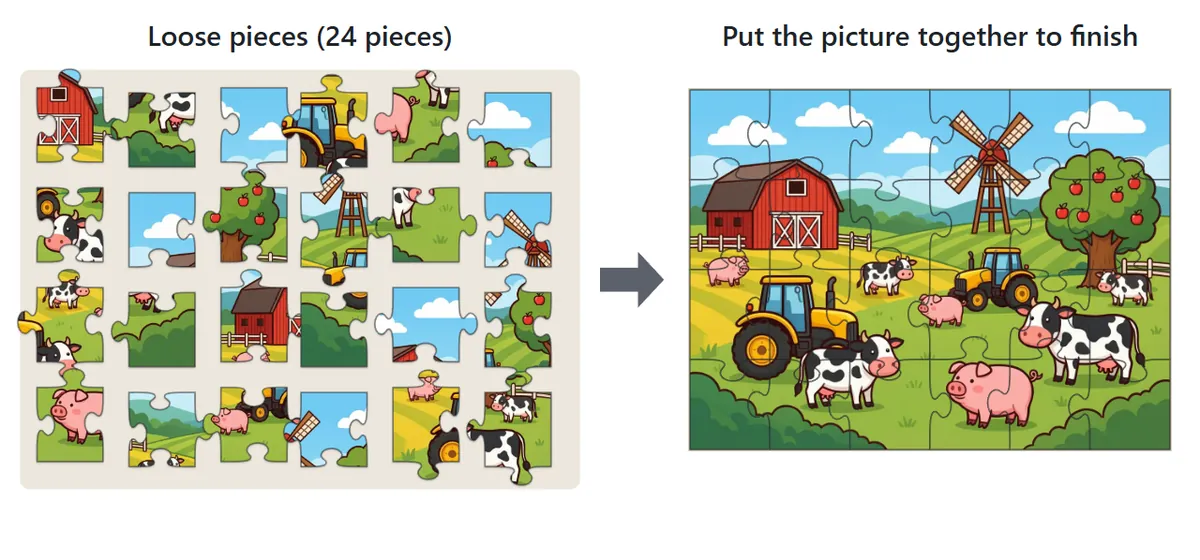
When you press Start, the finished picture in the frame breaks apart and the pieces scatter around it. Pick up a piece by dragging it, then carry it to the right spot inside the frame. When every piece is connected and the picture is whole, you have finished. The bar above the table shows how many pieces are placed in the frame and how long you have been playing. The timer only starts when you first move a piece, so feel free to study the picture before you begin.
Read the shape of each piece
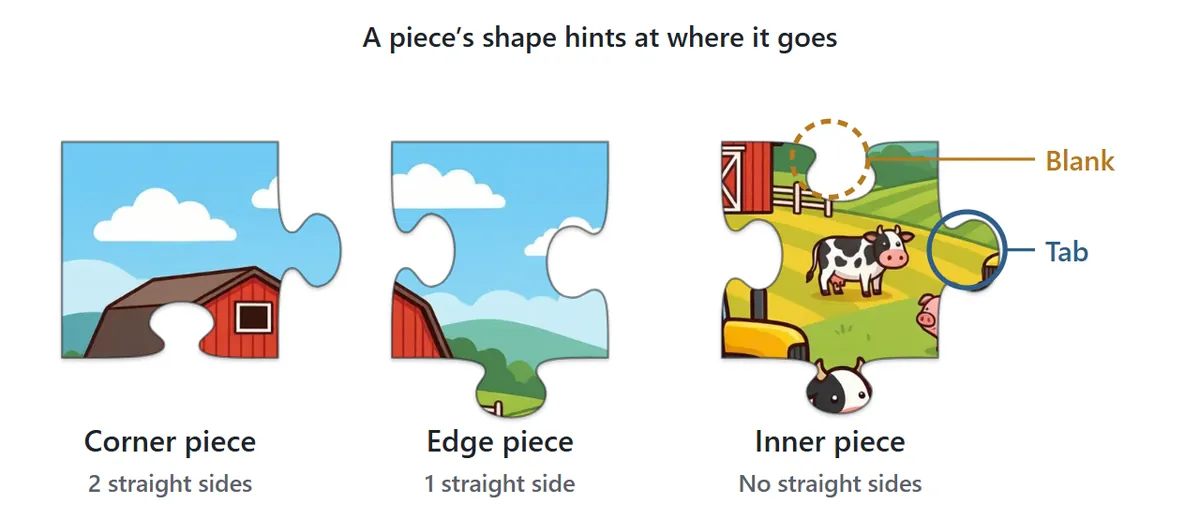
Each side of a piece is either a tab that bulges outward or a blank that curves inward, so neighboring pieces lock together. Pieces along the outside of the picture have one perfectly straight side, and the four corner pieces have two. Just by looking at the shape you can already guess roughly where a piece belongs.
Pieces snap together when they match
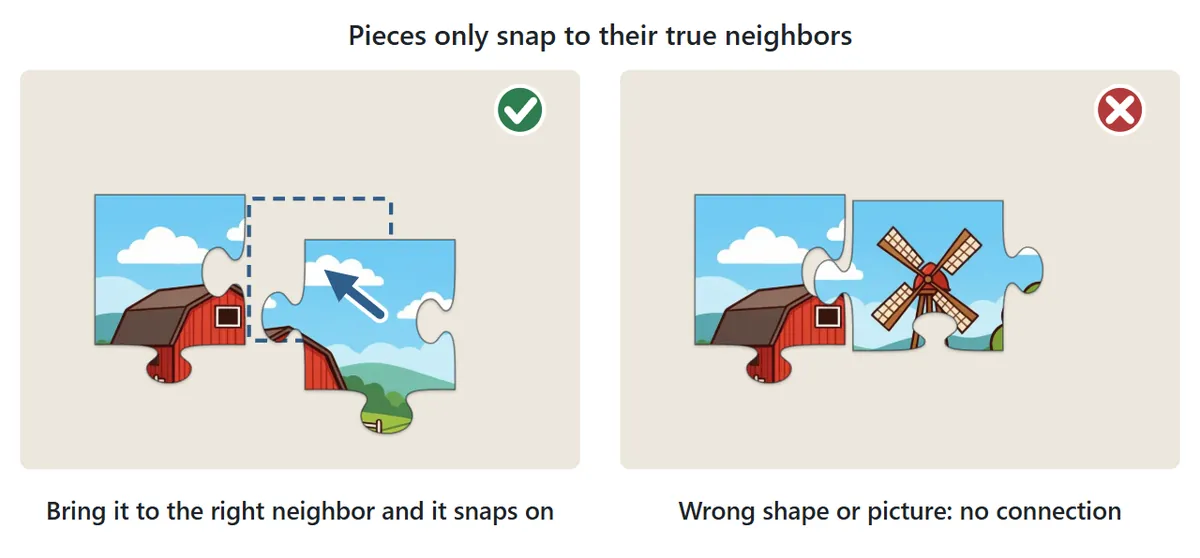
Drop a piece close to its true neighbor and it snaps into place against it. The same happens when you drop a piece near its correct position in the frame. A piece that merely looks similar will not connect: only the real neighbor fits. When a piece snaps, its outline flashes and a message appears above the table, so you always know when you got it right.
Joined pieces move as a group
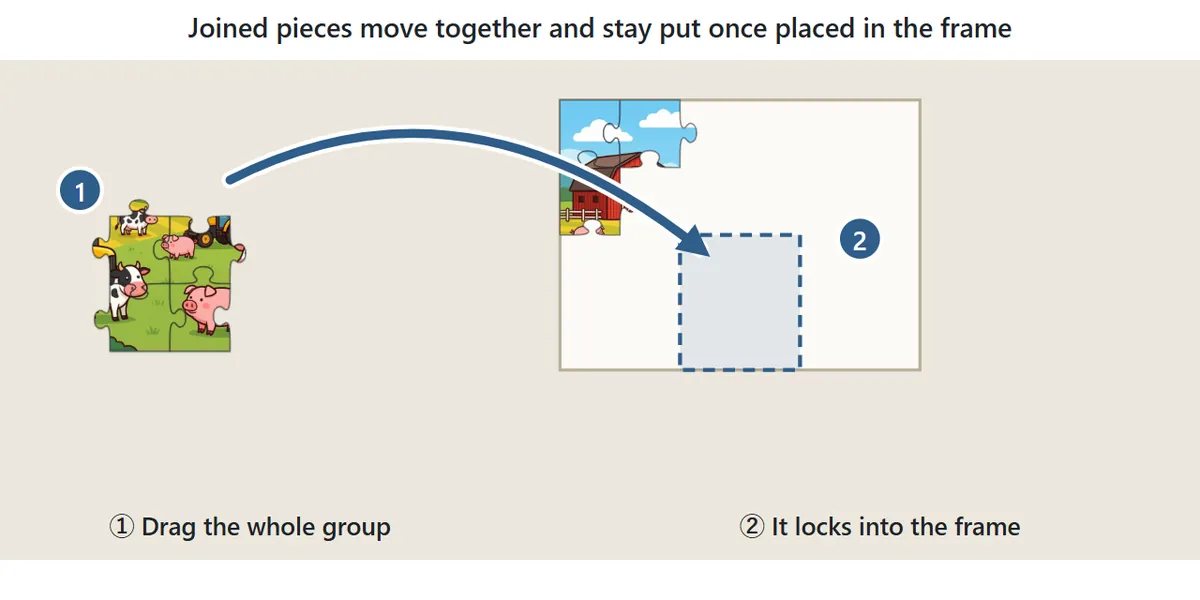
Connected pieces become a single group, and dragging any piece in it moves the whole group. That means you can build a recognizable part of the picture, like a barn or a patch of sky, off to the side and then carry it into the frame in one go. Once pieces are placed in the frame they are locked and won’t move again.
Choosing the Number of Pieces and Rotation
| Pieces | Grid | Good for |
|---|---|---|
| 12 | 4×3 | A first try or a quick break |
| 24 | 6×4 | A relaxed game on a phone |
| 48 | 8×6 | A satisfying puzzle; the most we recommend on a phone |
| 96 | 12×8 | Computers and tablets |
| 150 | 15×10 | A real challenge; best on a large computer screen |

With No rotation, every piece starts the right way up. Choose Rotation (expert) and the pieces are dealt facing every direction, just like tipping a real puzzle out of its box. Press (tap or click) a piece to rotate it 90° clockwise; on a computer you can also hover over a piece and press the R key. A joined group rotates as a whole. Pieces only connect when they face the same way, and they only lock into the frame when the picture is upright.
Jigsaw Puzzle Tips and Strategy
1. Build the border first
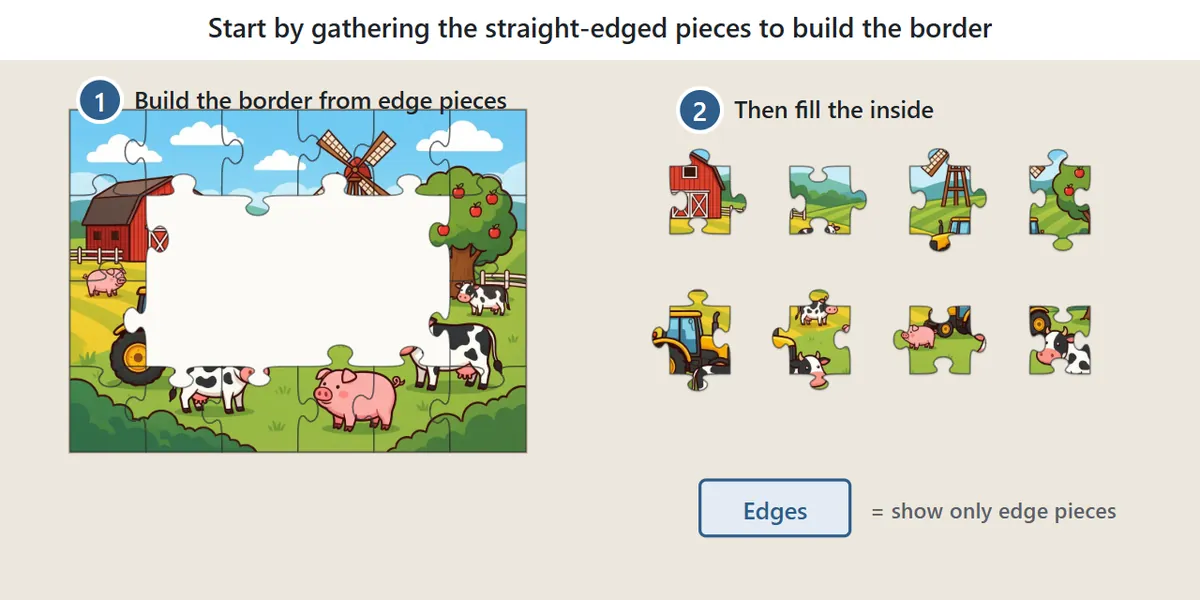
The classic way to start a jigsaw is to collect every piece with a straight side and assemble the border. Once the outline is finished, it is much easier to work out where the inner pieces go. The Edges button hides everything except pieces that belong to the border, which saves a lot of searching. Press it again to bring all the pieces back.
2. Sort pieces by color and pattern
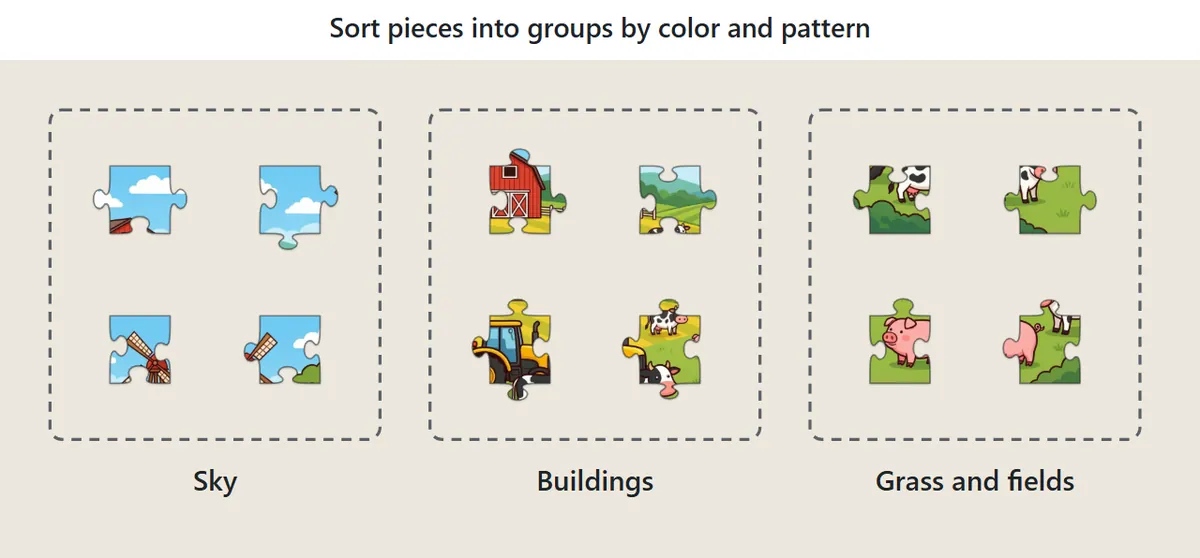
Gather pieces with similar colors or textures into piles on the table: blue sky here, green grass there, red roofs somewhere else. Eye-catching details such as a train, a balloon or an animal’s face are easy to place, so build those early. Large areas of a single color, like open sky or sea, are hardest, so save them for last when there are fewer pieces left to try.
3. Use the preview wisely
Press Preview to show a faint copy of the finished picture inside the frame. It works just like checking the picture on the lid of a puzzle box and helps you see which part of the image a piece comes from. Once you are comfortable, try a puzzle without the preview for an extra challenge.
4. Tidy up when the table gets messy
After a while the table can get cluttered and pieces end up hidden under each other. Press Tidy up and every loose piece is laid out neatly around the frame, with edge pieces first. Groups you have started and pieces already in the frame stay where they are.
5. Narrow it down by shape
When color alone doesn’t tell you, look at the shape. If the gap you are filling has a blank on top, only pieces with a tab in the matching place can go there, which rules out most candidates at once. In rotation mode, turn edge pieces so that their straight side faces outward before you move them; it removes most of the guesswork about direction.
Jigsaw Puzzle FAQ
Can I stop and finish the puzzle later?
Yes. Open the page again on the same device and browser and press Continue. The pieces, the groups you have built and your time all pick up exactly where you left off. The saved game is cleared once the puzzle is complete.
How are best times recorded?
For each combination of piece count and rotation setting, the game stores how many times you have finished and your fastest time on this device. Using Preview or Edges still counts toward your records.
Can I play jigsaw puzzles on a phone or tablet?
Yes. On a phone the frame sits at the top with the pieces below it. Because pieces get smaller on a small screen, we suggest 48 pieces or fewer there; 96 and 150 pieces are more comfortable on a tablet or computer. Sound is off to start with. Press “Sound: off” to hear a click when pieces join and a chime when you finish.
I can’t find a piece. Where did it go?
It is probably hiding under another piece. Press Tidy up to spread the loose pieces out so none overlap. Also check that Edges isn’t switched on: while it is, inner pieces stay hidden. Press it again to show everything.
Are the pieces cut the same way every time?
No. Every new game cuts the picture into a fresh set of shapes, so the tabs and blanks are different each time, even with the same picture and piece count. “Same picture again” gives you a new cut of the picture you just finished, and Restart scatters the current cut again from the beginning.
How can I make a puzzle easier or harder?
The number of pieces makes the biggest difference: going from 24 to 48 roughly doubles the work, and 150 pieces can take a long session. Rotation mode adds a second layer of difficulty because you have to work out each piece’s direction as well as its position. For an easier game, keep the preview on and use Edges to cut down the number of pieces you are looking at. For a harder one, turn rotation on and try to finish without the preview.
Is it free, and do I need an account?
The game is completely free to play in your browser. There is nothing to install and no account to create, and your progress is saved on your own device.
History of the Jigsaw Puzzle
Jigsaw puzzles are generally traced back to London in the 1760s, when mapmaker John Spilsbury mounted a map on a thin sheet of wood and cut it apart along the country borders so that children could learn geography by putting it back together. These early puzzles were called “dissected maps.” The name jigsaw came later, from the fine saws used to cut the pieces, even though most were actually cut with fret saws. Over time, paintings and landscapes replaced maps, and once cardboard pieces could be stamped out by machine in the early twentieth century, jigsaws became an inexpensive pastime that almost every household enjoyed. They remain hugely popular today, with speed puzzling competitions where teams and individuals race to finish a set number of pieces, and online puzzles like this one that you can pick up for a few minutes whenever you like.