 Yorimichi Games
How to play Fukuwarai online
Fukuwarai is a Japanese face-building game in which a player places separate facial features without seeing the face. The surprise comes at the end, when the finished arrangement is revealed. You can try to match the example closely, or simply enjoy the expression that appears. This online version hides the face on the screen rather than asking you to wear a blindfold. Keep your eyes open so you can see the controls and the position marker. No account, printed pieces, or special equipment is needed. Choose a face and a mode, study the example, and place six pieces at your own pace.
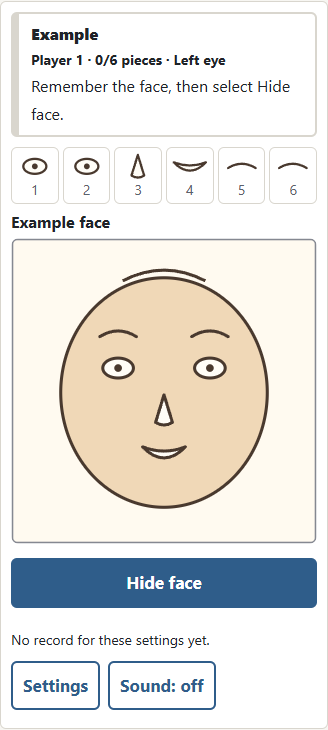
Study the example, then hide the face
Select either the round face or the oval face. The two outlines have slightly different proportions, so look again when you change the face. After Start, the complete example remains visible until you choose Hide face. There is no countdown. Notice the eye spacing, the height of the eyebrows, and the gap between the nose and mouth. Once the face is hidden, you cannot bring the example back during that attempt. Opening Settings keeps your current attempt saved; Continue returns to the hidden placement stage. Starting a new attempt shows a new example. Take enough time to understand the arrangement before you hide it.
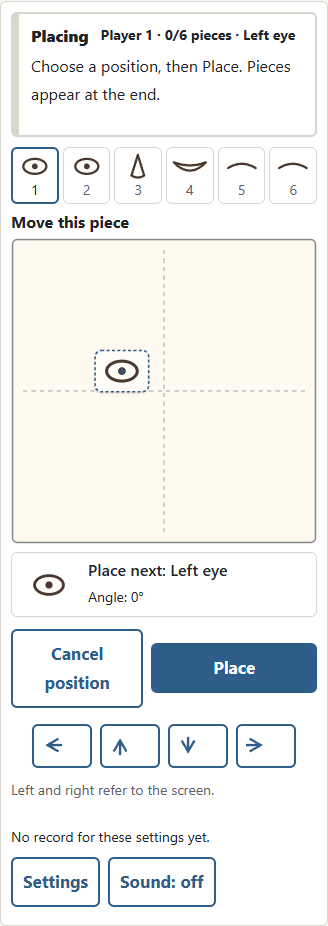
Choose a position and confirm each piece
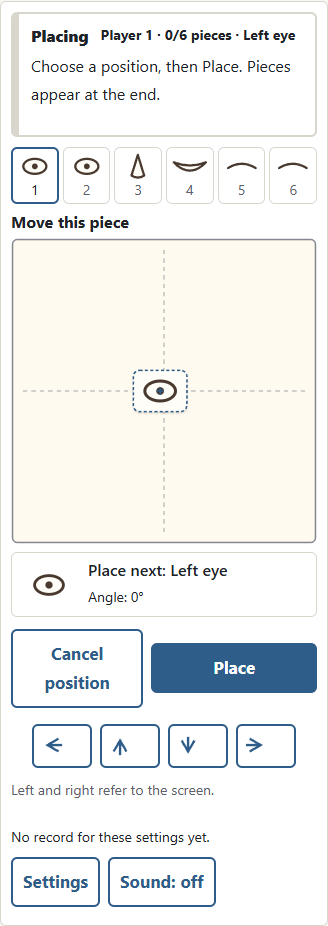
The name and a small picture of the current piece appear beside or below the board. Click or tap inside the board to move its framed picture and center cross. The framed picture is the unconfirmed piece, not a previously placed feature. Selecting a position does not place the piece immediately: you can choose another position or adjust it with the direction buttons. Select Place when you are satisfied. That action is final, and the next piece starts with its marker at the center of the board. The face and all confirmed pieces remain hidden in the two hidden modes. Dragging and releasing also changes only the proposed position. Cancel position or Esc resets this piece’s position and angle. Adding another finger or interrupting a drag restores the position from before that drag.
Fukuwarai rules: six pieces and screen directions
There are six pieces: left eye, right eye, nose, mouth, left eyebrow, and right eyebrow, in that order. Left and right always mean your view of the screen, rather than the imagined person’s own left and right. The eyes have the same shape, but each has its own place in the sequence. Confirmed pieces cannot be moved or removed. Pieces may overlap, and a piece may lie outside the face outline. Its center stays inside the board so it cannot disappear beyond the edge. The attempt ends after all six pieces have been placed. There is no failure state or time limit.
Easy, Normal, and Hard: fewer position guides
The difficulty setting changes the amount of visible guidance during hidden placement. Easy divides the board into nine broad areas. These areas help you remember whether a feature belongs near the top, center, or bottom. Normal leaves just the central horizontal and vertical lines. Hard leaves only the outside frame. The example, piece count, and scoring rules remain the same at every level. The game does not move your chosen positions, add random errors, or shorten your thinking time. Difficulty is a way to reduce landmarks, rather than a race against a faster opponent. Try Easy first, then remove guides as you become familiar with the face.
Basic, Rotation, and Visible practice modes
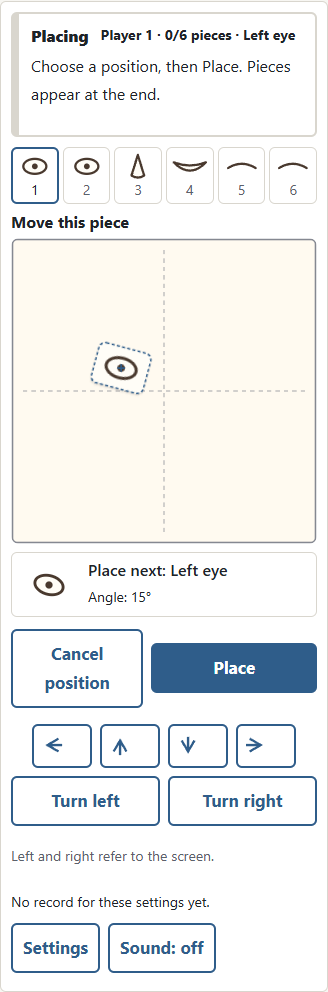
Basic keeps every feature upright and asks you to remember its position. Rotation lets you turn the current feature in steps of fifteen degrees. A full turn returns to the original orientation, and every new piece begins at zero degrees. The small picture beside the piece name shows the angle you have chosen. Visible practice keeps the face outline and your placed features visible. It does not assign a score or update your scored record. Practice is useful for learning the controls or making an expression freely. It is a separate way to play, so do not compare a practice arrangement with a hidden-mode score.
| Mode | Visibility | Score |
|---|---|---|
| Basic | Unconfirmed piece, marker and guides | Position |
| Rotation | Unconfirmed piece, marker and guides | Position and angle |
| Visible practice | Outline and placed pieces | None |
The reveal and the optional example-match score
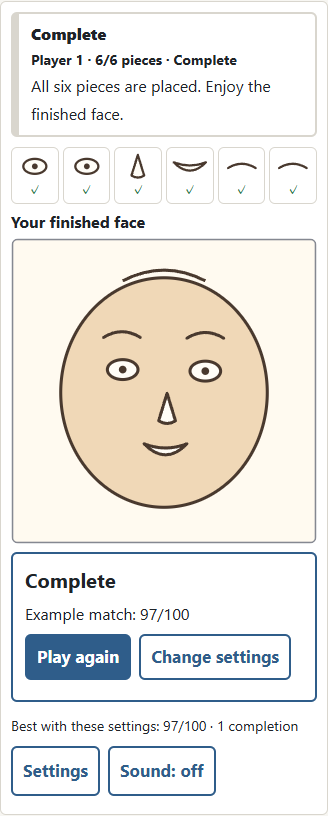
When you place the last feature, the entire face appears. Basic and Rotation show an example-match score from zero to one hundred. A feature gains more points when its center is closer to its position in the example. Rotation also considers the difference in angle. A perfect match receives one hundred. This score is a rule of this online version; it is not a traditional national scoring system for Fukuwarai. It measures the arrangement of these particular pieces, not how attractive a face looks and not anything about a real person. A low score still means you completed the face. Look at the expression before deciding whether to try again.
Pass-and-play for two to four players
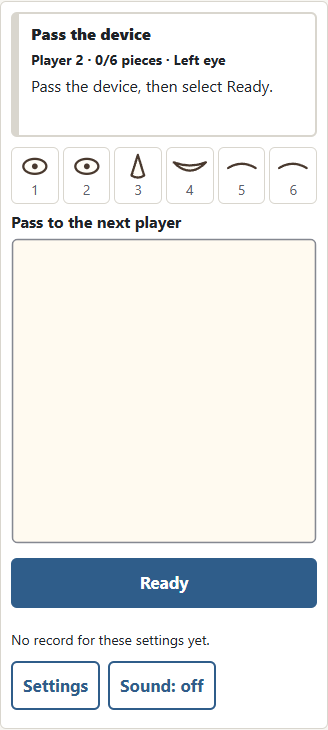
Choose two, three, or four players to take turns on the same device. Everyone uses the same face, mode, and guide setting. After a player finishes, select Next player. The screen hides the previous arrangement during handover. Give the device to the next person before selecting Ready; that person can then study the example and begin. After the last player finishes, all scores are listed. Equal scores receive the same rank, with no extra speed-based tie-break. Use the face selector to view each finished arrangement. In practice mode, you can share and compare the faces without a score or ranking.
Six Fukuwarai tips for remembering positions
First, remember the center of the face and use the nose as an anchor. Second, treat the two eyes as a pair: their spacing is often easier to remember than two unrelated coordinates. Third, look at the gap between each eyebrow and the eye below it. Fourth, use the outer frame as a landmark, even when the center guides are absent. Notice how far the mouth sits above the bottom edge. Fifth, adjust the marker before confirming, especially if a finger covers the point you tapped. Sixth, review the revealed face and choose one small change for your next attempt. You do not need to correct every feature at once.
Controls, sound, and saved games
On a computer, click to choose a location or use the arrow keys to move the marker. Enter places the current piece. In Rotation mode, Q turns left and E turns right. Buttons provide the same position and angle controls on touch screens. Settings pauses your attempt without revealing hidden features, and Continue restores the current piece and marker. Closing the page also keeps the latest saved arrangement when browser storage is available. The Japanese and English pages share saved settings, progress, and records on this device. Sound starts off and can be enabled with the sound button. There is no background music or automatic sound playback.
Frequently asked questions
Can I undo a confirmed piece? No, but you can change the marker as often as you like before selecting Place. Do overlapping pieces count? Yes; overlap does not stop the game. Can I place something outside the face? Yes, although the piece center is kept within the board. Is there a timer? No: you decide when to hide the example and when to confirm each piece. Do I need to shut my eyes? No: keep them open and watch the marker and controls. Can friends give directions? Agree on that before taking turns and use the same agreement for everyone. A guide-assisted attempt and an unassisted attempt are different challenges.
More questions about records and replay
Why is my practice face not in the records? Visible practice is deliberately unscored so you can experiment without competing with hidden attempts. Scored records are separated by face, mode, and difficulty. A shared-device session records each completed scored face, and returning to its result does not add it again. What if my saved game disappears? Browser storage may be unavailable, cleared, or separate in another browser or device. The game can still be played when saving is unavailable, but it cannot promise to keep that progress. Can I revisit every player’s face? Yes, after the session ends, select a player beside the results to display their arrangement.
Paper Fukuwarai and this digital version
In a paper game, a blindfolded player places cutout features on a face outline and removes the blindfold after finishing. Other people may offer directions, and sets can include different pieces such as cheeks or eyebrows. The common idea is placement without looking followed by a shared reveal; the exact piece set and scoring are not universal. This online game uses six original geometric features, hides the outline and confirmed pieces during placement, and provides optional position guides. It cannot reproduce the touch of paper on a table. Rotation, visible practice, and the numerical match score are additional rules of this digital version, rather than claims about how every household plays.
A Japanese New Year face game
Fukuwarai is associated with New Year gatherings in Japan. Traditional examples often use familiar mask-like faces, while modern handmade sets can use many different designs. The name is commonly connected with good fortune and laughter. Rather than making a precise claim about the date of invention, it is helpful to see it as a traditional activity passed between people, with room for local variations. Here the two faces are original drawings made from simple shapes. Enjoy the unexpected arrangements together, keep comments about the pieces kind, and let every player decide whether they want another turn. The aim is a pleasant reveal, not criticism of anyone’s appearance.