 Yorimichi Games
How to play Fleet Search
Fleet Search is a hidden-fleet guessing game for one player against the computer, or two players sharing one device. Each player places a collection of straight ships on a private grid. On your turn, select coordinates on the other player’s sea and confirm your search. A cell containing part of a ship is a hit; an empty cell is water. Finding every cell of one ship sinks it. Find the whole opposing fleet first to win. There is no timer pushing you to make a quick decision. Read the results, compare the marked cells, and decide where a ship could still fit.
Place your ships before searching
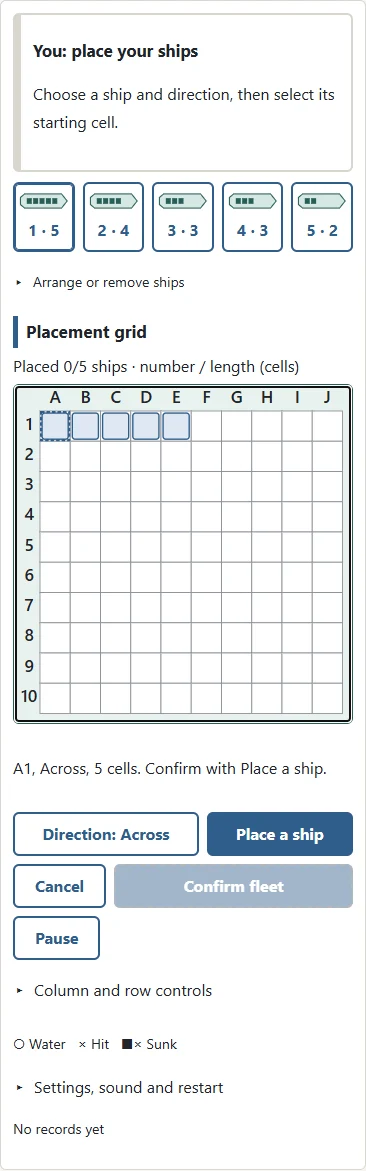
The standard grid has ten columns and ten rows. Each fleet has five ships, occupying five, four, three, three and two cells. Ship numbers simply identify the pieces: they do not give a ship a special power. Choose a ship button, select Across or Down, and choose the cell where the ship starts. A ship must lie in a straight line. It cannot wrap around an edge, point diagonally, or overlap another ship. If a placement does not fit, check the starting cell, direction and spacing rule. The original position remains unchanged when a move is rejected.
Tapping a starting cell previews a ship without moving it. Confirm with Place a ship. Tap the same cell again, blank space, Escape or Cancel to clear preparation. Tapping the selected ship button again deselects the ship. Queued search cells can also be cancelled before Search. Open the column-and-row or arrangement sections for the larger auxiliary controls.
Move a ship or try a shorter game
Arrange fleet places all your ships at once. You may then choose a numbered ship and give it a different starting cell. Remove takes the selected ship off the grid so you can place it again. Confirm fleet becomes available once every ship has a valid position. Ships cannot move after the searching phase begins. For a shorter game, choose the eight-by-eight grid. Its fleet has three ships of four, three and two cells. This smaller sea is useful when learning the controls, showing the game to someone new, or playing a quick round. Both sides always use the same grid and fleet.
Read the coordinates
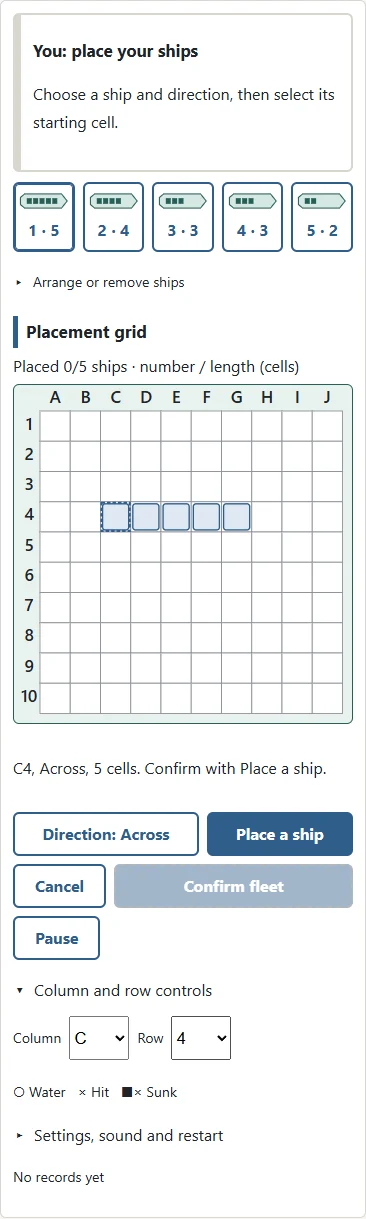
Columns run from A at the left towards the right. Rows start at 1 at the top and increase downwards. C4 is the third column and fourth row. The letters and numbers printed around the grid remain the reference when the device changes orientation. Tap or click a cell to select it. You can also use the larger column and row controls, then press Select a cell. On a keyboard, focus the grid and move the cursor with the arrow keys. Enter or Space selects the current cell. R rotates a ship during placement, while F confirms a fleet or search. Selecting a cell does not immediately commit a search.
Use the search grid and fleet grid
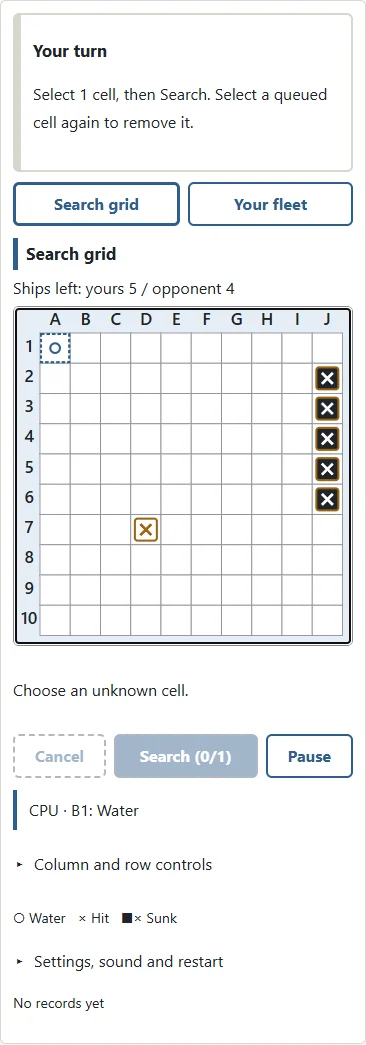
The search grid records what you know about the opposing sea. Unknown ships are hidden. A small circle means water, a cross means a hit, and a filled square with a cross marks part of a sunk ship. The symbols make the results readable without relying on colour. Your fleet grid shows your own ships and the opponent’s searches. Switch grids whenever you want to review your position. A cell already searched cannot be searched again. Before confirming, select a queued cell once more to remove it. The queue numbers show your chosen order, so a nearby accidental tap is easy to correct.
Understand a hit and a sunk ship
One hit does not tell you whether a ship runs across or down. The four neighbouring cells are useful places to consider next. Two hits in a line may suggest a direction, but ships allowed to touch can produce hits belonging to different vessels. The game announces a ship’s length when it sinks and marks all of that ship’s cells. Those marks help distinguish a completed ship from unresolved hits nearby. With Identify ship enabled, a hit also reports the ship number. This additional information can help separate touching ships. It is an optional rule, not a view of the opponent’s unsearched cells.
Fleet Search rules: alternating turns
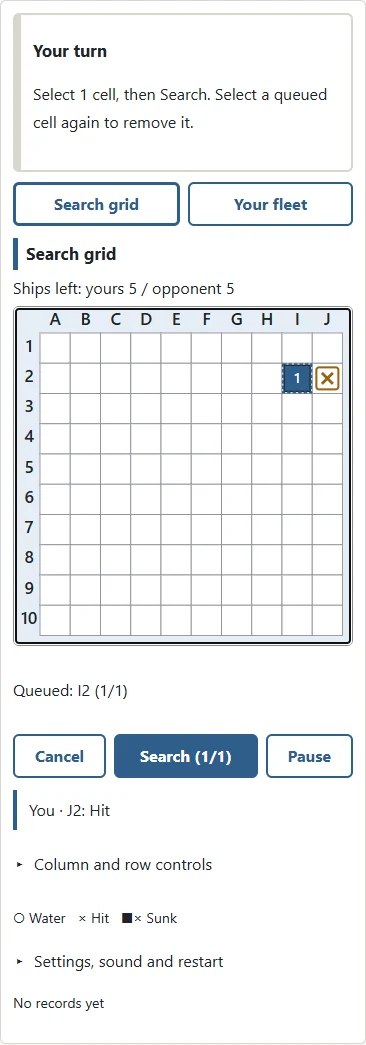
In the standard turn rule, each player searches one cell and then passes the turn, whether the result is a hit or water. Read the result before pressing Next turn or CPU turn. The game does not rush into the next action while you are still examining the grid. There is no extra reply turn after a winning search. Finding the last opposing ship ends the game immediately, even if the players have taken different numbers of turns. The starting player can be Player 1, Player 2 or random. When learning together, alternating the starting player between games is an easy way to vary the experience.
Hit again and salvo variations
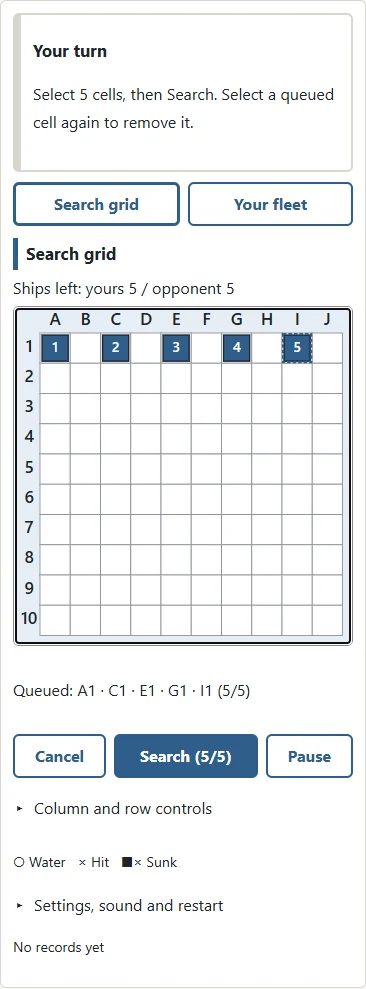
Hit again keeps the turn with the searching player after a hit, including a hit that sinks a ship. Water ends that player’s turn. A successful player may therefore search several times in a row, but must still choose and confirm each next cell. Salvo uses a different idea: choose as many cells as you have surviving ships, then confirm the entire group. Five surviving ships allow five searches. After losing a ship, your next group is smaller. You do not see one result and then change the remaining choices. If a selected search finds the final opposing ship, the game ends and later queued cells are not searched.
Choose the ship spacing
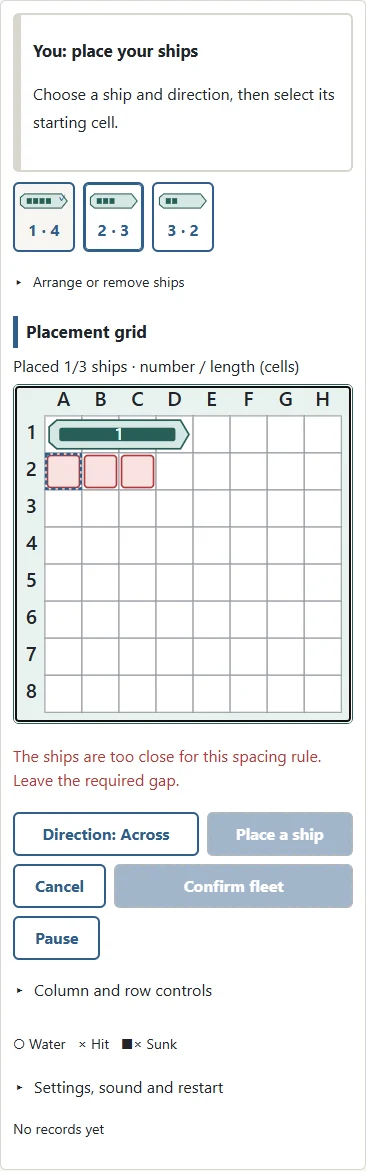
Touching allowed means separate ships may share a neighbouring edge or corner, provided they do not overlap. Leave edges clear forbids contact across an edge but still permits diagonal contact. Leave corners clear also requires a gap at the corners. A known spacing rule helps you decide whether another ship could be next to a sunk one. Do not apply this deduction when touching is allowed. The rule affects both players equally and remains fixed throughout a game. Grid size, turn rule, spacing and hit information can be adjusted separately under the detailed settings. The preset names provide a convenient starting point; the visible choices tell you exactly which rules will apply.
| Rules | Details |
|---|---|
| Standard | 10×10, 5 ships; alternate; contact allowed |
| Hit again | 10×10, 5 ships; hit repeats; clear edges |
| Salvo | 10×10, 5 ships; queue cells before results |
| Short | 8×8, 3 ships; alternate; clear edges |
Two players on the same device
When Player 1 confirms a fleet, the game hides the board behind a pass-device screen. Player 2 should look away during placement, take the device, and press I have the device: reveal. After the second fleet is confirmed, the device is passed to the starting player in the same way. During play, review a search result before passing. The next player reveals their own view only when ready. Switching to Your fleet shows the fleet belonging to the current device holder, not the other player’s hidden placement. If a shared-device game is restored, it starts behind the privacy screen. Looking away during the handover is part of fair play.
Fleet Search strategy: cover the sea
When no unfinished ship has been found, spread your searches across the sea instead of repeatedly checking one small area. All ships are at least two cells long, so a checkerboard-style search can intersect a ship without checking every cell first. Once you find a hit, consider the neighbouring cells rather than rigidly continuing the opening pattern. Look for the ends of a ship and use water results to rule out directions. Keep the remaining lengths in mind. A five-cell ship cannot fit in a three-cell gap between known water cells. When a large ship sinks, change your search plan to suit the smaller ships still hidden.
Placement and salvo tips
Avoid treating one placement habit as a guarantee of safety. Ships on the edges can be found, and ships in the centre are not automatically poor choices. Placing everything together or always using the same row may become predictable to a regular opponent. Try different layouts, and remember which spacing rule is active. For salvo, decide whether to concentrate a group around unfinished hits or spread it across several promising areas. You cannot alter later choices after seeing the first result. Before confirming, check the whole group for accidental cells and unnecessary guesses. Losing ships reduces the size of future groups, so every surviving vessel matters.
Fleet Search FAQ: can I search again after a hit?
Only the Hit again turn rule grants another search after a hit. Standard play passes after every single search. Salvo passes after the selected group is resolved. Sinking a ship counts as a hit in Hit again, so the same player continues unless the game has ended. The last ship decides the winner immediately. There is no tied result and no special final round giving the other side a matching number of searches. If you prefer a different rhythm, choose a new turn rule before starting the next game.
FAQ: saves, difficulty and restarting
The browser remembers your latest settings, an unfinished game and your computer-game record on this device. Continue restores the saved position without applying newly edited settings to it. A different device or cleared browser storage will not share that progress. Pause hides the grid, and leaving the browser tab also pauses play. Restart begins a fresh placement with the current settings. Easy leaves more room to explore, Normal follows hits more closely, and Hard pays more attention to stretches of water where a remaining ship can fit. None of these levels is given the hidden positions. Sound starts off; every outcome is shown in symbols and text.
A paper-and-pencil tradition
Hidden-fleet games can be played with grids drawn on paper, keeping each placement out of the other player’s sight. Commercial sets and household versions differ in details such as whether ships may touch or whether a hit grants another turn. Agree on these choices before a paper game rather than assuming everyone learned the same version. The central activity remains recognising coordinates, recording information accurately and narrowing down possible positions. Fleet Search uses simple original ship shapes and a calm grid presentation. You can take your time, compare your notes and enjoy a compact deduction game without an account or a download.
More questions
Can ships be diagonal?
No. Every ship runs in a straight horizontal or vertical line.
Can I change a salvo after seeing a result?
No. Select the whole group before confirming it. Results cannot change later choices.
Can I play a remote friend?
Two-player mode is for sharing one device. There is no remote matchmaking.
Can I play without sound?
Yes. Marks and text show every result, and sound starts off.