畫鬼腳

幾秒鐘就能做好畫鬼腳。輸入名字和結果,沿著線走,看看誰抽到什麼。還有路線解謎遊戲。

這款遊戲的畫面目前為英文。下方有中文的玩法說明。

Choose your settings and press Start

Mode

Outcomes at the bottom

Whichever you pick, you can edit each outcome after you start.

More settings (rungs, tracing speed)
Number of rungs
Rungs

Tracing speed
Difficulty

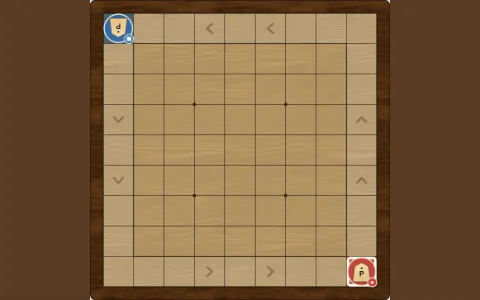
Where does the path from the ★ end up? Pick an answer and the path is traced to check it. 10 puzzles in all.

Printable
廣告
回報錯誤

回報只有網站營運者能看到,不會顯示在公開的留言裡。

請不要填寫姓名、學校、住址、聯絡方式或網址。遊戲版本和瀏覽器種類會自動附上。 關於個人資料

瀏覽—評分—留言—

歡迎直播或分享遊戲畫面(也可用於營利)。直播與分享指南(英文)

ver 1.0.0 · 更新

更新紀錄(英文)
  1. · ver 1.0.0Added the version label and release notes.
  2. Added the English version.
  3. First published.

為這款遊戲評分

玩得怎麼樣?點一下按鈕就能送出。

留言

寫留言

請不要填寫真實姓名、學校、住址或聯絡方式。
不能填寫網址或讓人不舒服的話。留言和回覆會立即公開,不恰當的內容可能會被刪除。

留言規則(詳細)

    廣告

    畫鬼腳的玩法

    Three stages of an amidakuji. 1: names at the top and outcomes at the bottom. 2: the outcomes are hidden behind question marks and one rung has been added in the middle. 3: one person’s path is traced in blue and only the outcome they reached is shown
    1. Write names and outcomes. 2. Hide the outcomes while everyone adds rungs. 3. Tap a name to follow that person’s path.
    1. 在設定中選擇人數和結果類型,按「開始」。可選一人中籤、排順序或自己填寫。
    2. 點上方的格子輸入名字,點下方的格子輸入結果;人多時可以用「貼上名單」一次輸入。
    3. 填好後按「隱藏結果」,下方變成問號,大家輪流在兩條直線之間點一下加橫線。
    4. 按「揭曉」後點一個名字,就會用顏色描出這個人的路線並只公開他的結果。
    5. 全部揭曉後會出現結果列表,可以用「複製結果」貼到群組聊天或電子郵件裡。
    廣告

    規則重點

    小技巧

    更詳細的說明(英文):English

    廣告